08. 🖥️ EC2 Instance Purchasing Options
Amazon EC2 offers multiple purchasing options to help you balance cost, flexibility, and performance depending on your workload type.
| Type | Commitment | Billing Model | Best For |
|---|---|---|---|
| On-Demand Instances | None | Pay per second/hour | Short, unpredictable workloads |
| Reserved Instances (Standard) | 1 or 3 years | Discounted hourly rate | Long, steady workloads |
| Convertible Reserved Instances | 1 or 3 years | Discounted hourly rate | Long workloads needing flexibility in instance type |
| Savings Plans | 1 or 3 years | Commit to a spend ($/hr) | Long workloads across multiple instance types |
| Spot Instances | None | Variable pricing (up to 90% off) | Short, flexible, fault-tolerant workloads |
| Dedicated Hosts | Optional (1–3 years) | Pay per host | Compliance and license-bound workloads |
| Dedicated Instances | None | On-Demand pricing | Isolated hardware, but AWS managed |
| Capacity Reservations | Optional | On-Demand pricing | Guaranteed capacity in a specific AZ |
⚙️ EC2 Purchasing Options Explained
🟢 1. On-Demand Instances
Pay for what you use, no upfront payment or long-term commitment.
- Linux / Windows: Billing per second (after the first minute)
- Other OS: Billing per hour
- Highest cost, but flexible and easy to start/stop anytime
Description: Pay by the second or hour with no upfront commitment.
Use Case: Short-term, unpredictable workloads.
Billing: Standard On-Demand rates.
Example: Development, testing, or burst workloads.
Recommended for short-term, unpredictable, or uninterrupted workloads where usage patterns are uncertain
🔵 2. Reserved Instances (RIs)
Up to 72% discount compared to On-Demand pricing.
- Reserve specific instance attributes (Type, Region, Tenancy, OS)
- Term: 1 year (+discount) or 3 years (+++discount)
- Payment Options: No Upfront (+), Partial Upfront (++), All Upfront (+++)
- Scope: Regional (flexible) or Zonal (capacity reserved in AZ)
- Can buy/sell on the Reserved Instance Marketplace
- Recommended for steady-state, long-running workloads (e.g., databases)
Description: Commit to a 1-year or 3-year term for a lower rate (up to 72% discount).
Use Case: Long-running, steady workloads.
Types:
- Standard RIs: Locked to a specific instance type but depends upon type.
- Convertible RIs: Flexible instance changes during the term. Allow changes to instance type, family, OS, scope, or tenancy (up to 66% discount). Example: Always-on production servers.
🟣 3. Savings Plans
Get up to 72% discount (same as RIs) based on long-term usage commitment.
- Commit to a spend amount ($/hr) for 1 or 3 years (e.g., $10/hour)
- Usage beyond commitment is billed at On-Demand rates
- Locked to a specific instance family & AWS region (e.g., M5 in us-east-1)
- Flexible across:
- Instance sizes (e.g., m5.xlarge → m5.2xlarge)
- OS (Linux, Windows)
- Tenancy (Default, Dedicated, Host)
Description: Flexible alternative to RIs, commit to a spend amount ($/hr) for 1 or 3 years.
Types:
- Compute Savings Plan: Applies to any EC2, Fargate, or Lambda usage. More flexible
- EC2 Instance Savings Plan: Limited to a specific instance family/region.
Use Case: Consistent, predictable compute usage.
Example: Enterprises running multiple instance types across workloads.
🟠 4. Spot Instances
Get up to 90% discount compared to On-Demand pricing.
- Use unused EC2 capacity; instances can be terminated anytime if capacity is needed or your bid price is lower than the current spot price
- Most cost-efficient option in AWS
- Ideal for resilient, fault-tolerant workloads
- Not recommended for critical applications or databases
Description: Use unused EC2 capacity at up to 90% discount, but can be terminated anytime.
Use Case: Fault-tolerant, batch processing, CI/CD, or flexible workloads.
Example: Data analysis, image rendering, or distributed computing jobs.
🔴 5. Dedicated Hosts
A physical server with EC2 instance capacity fully dedicated to your use.
- Helps meet compliance requirements and supports server-bound software licenses (per-socket, per-core, or per-VM)
- Purchasing Options:
- On-Demand: Pay per second for active Dedicated Host
- Reserved: 1 or 3 years (No Upfront, Partial Upfront, All Upfront)
- Most expensive EC2 option
- Ideal for BYOL (Bring Your Own License) or software with complex licensing models
Description: A physical server dedicated to your account with full visibility into cores, sockets, and host IDs.
Use Case: License-restricted or compliance workloads.
Example: Oracle, SQL Server, or VMware BYOL environments.
🟤 6. Dedicated Instances
Instances run on hardware dedicated to your account, providing isolation from other AWS customers.
- May share hardware with other instances within your own account
- No control over instance placement (can move to new hardware after Stop/Start)
- Offers isolation without the cost of a full Dedicated Host
- The physical server is not shared with other customers
Description: Instances running on hardware not shared with other AWS accounts.
Use Case: When you need isolation but not full host control.
Example: Sensitive workloads requiring physical isolation.
⚫ 7. Capacity Reservations
Reserve EC2 capacity in a specific Availability Zone (AZ) to ensure compute availability when needed.
- No time commitment — create or cancel anytime
- Billed at On-Demand rates, even if instances aren’t running
- Can be combined with Reserved Instances or Savings Plans for cost benefits
- Guarantees capacity for critical, short-term, or AZ-specific workloads
Description: Reserve EC2 capacity in a specific AZ for guaranteed availability.
Use Case: Critical workloads needing assured capacity in a given AZ.
Billing: On-Demand rates until canceled.
Example: Disaster recovery or high-priority applications.
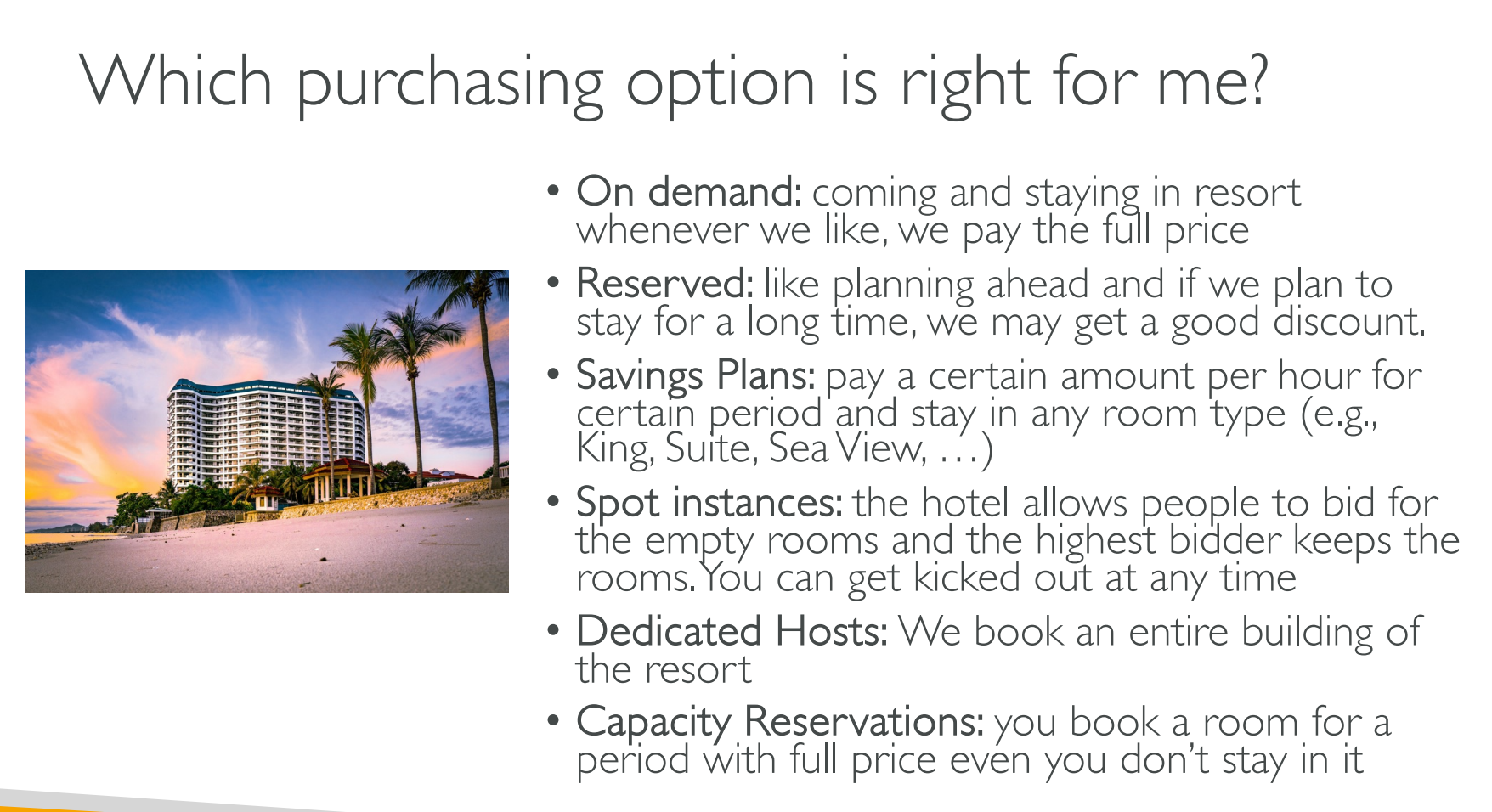
🧭 Configuration Locations in AWS Console
| Option | Where to Configure |
|---|---|
| On-Demand | Default during EC2 → Launch Instance |
| Reserved Instances | EC2 → Reserved Instances → Purchase |
| Savings Plans | Billing → Savings Plans → Purchase |
| Spot Instances | EC2 → Launch Instance → Request Spot Instance |
| Dedicated Hosts | EC2 → Dedicated Hosts → Allocate Host |
| Dedicated Instances | Launch Instance → Configure Instance → Tenancy → Dedicated |
| Capacity Reservations | EC2 → Capacity Reservations → Create Capacity Reservation |
🧩 Summary Tips
- 🪙 Start small: Use On-Demand for testing or unpredictable workloads.
- 💡 Optimize costs: Use Reserved Instances or Savings Plans for steady workloads.
- ⚡ Save big: Use Spot Instances for batch or interruptible tasks.
- 🔐 Stay compliant: Use Dedicated Hosts or Dedicated Instances for license or regulatory requirements.
- 🧱 Guarantee availability: Use Capacity Reservations for mission-critical workloads.
☁️ EC2 Purchasing Options — Real-World Scenarios
Below are 7 EC2 pricing models, each with a short, realistic scenario to help you decide when to use which.
1️⃣ On-Demand Instances
Scenario:
You’re testing a new Flask web app and don’t know how long you’ll run it.
- Why it fits: No long-term commitment; pay only for what you use.
- Cost: Highest rate, but maximum flexibility.
- Example: Dev/test environment, student practice, ad-hoc workloads.
🧾 Pay by the second/hour, stop anytime.
2️⃣ Reserved Instances (RIs)
Scenario:
Your company runs a MySQL database on EC2 24/7 for the next 3 years.
- Why it fits: Constant workload — cheaper to reserve capacity long-term.
- Cost: Up to 72% discount vs On-Demand.
- Example: Production databases, backend APIs with steady traffic.
🧾 Commit 1–3 years, choose upfront or partial payments.
3️⃣ Savings Plans
Scenario:
You run multiple EC2, Lambda, and Fargate workloads across teams and regions.
- Why it fits: You can commit to a fixed $ spend per hour instead of specific instances.
- Cost: Up to 72% discount; very flexible.
- Example: Enterprise environments, mixed compute usage.
🧾 Best when total compute usage is predictable.
4️⃣ Spot Instances
Scenario:
You’re training a machine learning model or running a web crawler.
- Why it fits: Cheap compute, non-critical workloads can tolerate interruptions.
- Cost: Up to 90% discount.
- Example: Batch jobs, data processing, CI/CD runners, image rendering.
🧾 Can be terminated anytime; ideal for flexible workloads.
5️⃣ Dedicated Hosts
Scenario:
You must use your own Windows Server or Oracle license tied to physical cores.
- Why it fits: You get an entire physical server dedicated to your account.
- Cost: Most expensive, but required for license-bound or compliance workloads.
- Example: BYOL software, financial or healthcare workloads with audit requirements.
🧾 Gives full hardware control and visibility.
6️⃣ Dedicated Instances
Scenario:
You run workloads that handle sensitive data and need hardware isolation,
but don’t need to control the full host.
- Why it fits: Provides physical separation from other AWS customers.
- Cost: Higher than On-Demand, but less than Dedicated Host.
- Example: Government or internal applications needing extra isolation.
🧾 Hardware dedicated to your AWS account, no placement control.
7️⃣ Capacity Reservations
Scenario:
You’re preparing for a high-traffic event (like a product launch or sale) and
want to guarantee compute availability in a specific AZ.
- Why it fits: Ensures capacity is always available when you need it.
- Cost: On-Demand rates (no discount).
- Example: DR (Disaster Recovery) setups, planned load tests.
🧾 Reserve capacity anytime; combine with RIs/Savings Plans for discounts.
🧭 Summary Table
| Option | Commitment | Discount | Can Be Interrupted | Ideal For |
|---|---|---|---|---|
| On-Demand | None | ❌ No | ❌ No | Short, unpredictable workloads |
| Reserved Instances | 1–3 yrs | ✅ Up to 72% | ❌ No | Steady-state usage |
| Savings Plans | 1–3 yrs | ✅ Up to 72% | ❌ No | Flexible compute use |
| Spot Instances | None | 🔥 Up to 90% | ⚠️ Yes | Fault-tolerant jobs |
| Dedicated Hosts | 1–3 yrs | ⚪ Minimal | ❌ No | Compliance/licensing |
| Dedicated Instances | None | ⚪ Minimal | ❌ No | Isolated workloads |
| Capacity Reservations | None | ❌ No | ❌ No | Guaranteed AZ capacity |
📘 Tip: You can mix purchasing options — e.g., use RIs for your DB, Spot for batch processing, and On-Demand for testing.