💰 01. AWS Budgets
AWS Budgets helps you plan, track, and control your AWS spending.
You can monitor:
- 💵 Cost — track spending
- ⚡ Usage — track resource usage
- 🧾 Savings Plans / RI coverage — track discounts and commitments
Alerts can be sent via email or SNS when thresholds are crossed.
⚙️ How to Create a Budget
-
Open Billing Console → Budgets

-
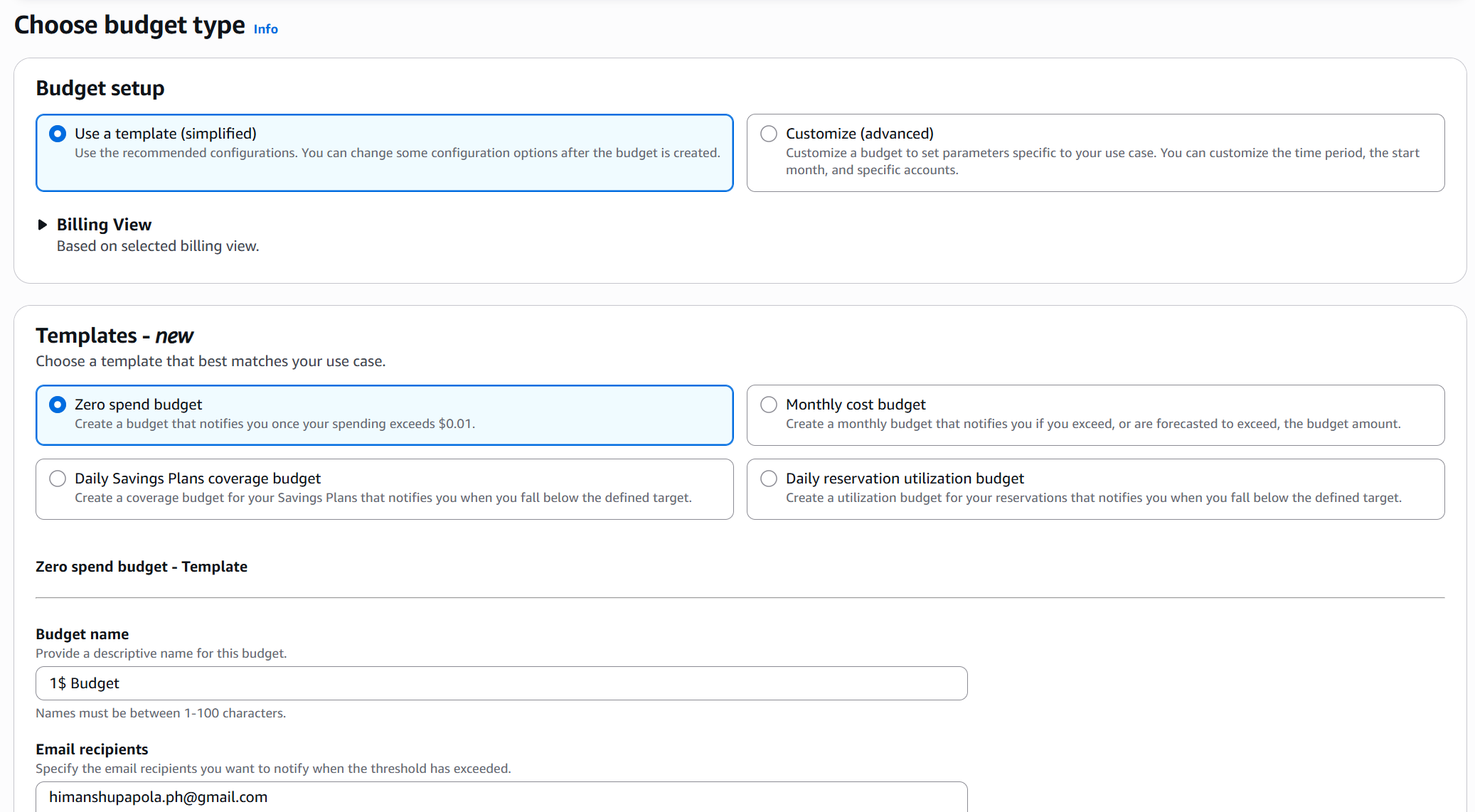
Choose Budget Type: Cost, Usage, Savings Plans, or Reservation
-
Set Budget Details: Name, Period, Start/End Date, Budget Type
-
Define Budget Limit: Amount, apply to actual or forecasted, optional service filter
-
Configure Alerts: Threshold %, Email/SNS recipients
-
Review & Create
AWS will start tracking and sending alerts based on your configuration.
📊 Managing Budgets
- Track Actual Cost, Forecasted Spend, and Alerts Triggered from the Budgets Dashboard.
- Free Tier nearing limit → create a Usage Budget
- Cap total spend → create a Cost Budget
- Track specific services (e.g., EC2) → add Service Filter
🧩 AWS Budgets vs Cost Explorer
| Feature | AWS Budgets | Cost Explorer |
|---|---|---|
| Alerts | ✅ Yes | ❌ No |
| Forecasting | Basic alerts | Visual & detailed |
| Purpose | Cost control | Historical analysis |
✅ Summary
- AWS Budgets = cost tracking + alerts
- Supports Cost, Usage, Savings Plans, Reservation
- Helps stay within Free Tier and avoid unexpected charges