01 Cloud Computing Intro
What Is Cloud Computing?
Cloud computing is the on-demand delivery of compute power, database storage, applications, and other IT resources through a cloud services platform using a pay-as-you-go model.
Key characteristics
- Provision exactly the type and size of computing resources you need.
- Access as many resources as required, almost instantly.
- Use a simplified interface to access servers, storage, databases, and application services.
- AWS owns and maintains all physical, network-connected hardware while You simply provision and consume resources through a web application, CLI, or API.
Cloud Services You Already Use
Many everyday applications run on cloud infrastructure without you realizing it.
Gmail
- Email delivered as a cloud service
- You pay only for storage consumed
- No servers or infrastructure to manage
Dropbox
- Cloud storage service
- Originally built on AWS
- Offers accessible, scalable file storage
Netflix
- Fully built on AWS
- Provides global video-on-demand streaming
- Uses cloud elasticity to handle massive traffic spikes
Characteristics of Cloud Computing
Modern cloud platforms share five foundational characteristics defined by NIST. These characteristics distinguish cloud computing from traditional on-premises environments.
1. On-Demand Self-Service
Users can provision compute, storage, networking, and other resources without requiring human intervention from the cloud provider.
- Immediate resource provisioning
- No ticketing or manual approval required
- Enables automation and rapid deployment
2. Broad Network Access
Cloud resources are accessible over the network from a wide range of client platforms: Laptops, Mobile devices, Web browsers, APIs and CLI tools
3. Multi-Tenancy and Resource Pooling
If multiple users/companies use the same software instance, that is multi-tenancy.
Resource pooling means the service provider has a shared pool of hardware resources (servers, CPU, memory, network) and dynamically allocates those resources to each customer. Multiple customers share the same physical infrastructure while maintaining strict isolation, security, and privacy.
- Resources are dynamically assigned and reassigned based on demand
- AWS services operate on shared hardware across customers
- Provides cost efficiency and high utilization
4. Rapid Elasticity and Scalability
Cloud platforms allow resources to expand or contract automatically and quickly based on demand.
- Scale out (add instances) or scale in (remove instances)
- Automatically resize infrastructure for traffic spikes
- Support for near-infinite scalability
5. Measured Service
Cloud usage is continuously monitored and metered.
- Pay only for what you consume
- Transparent tracking of compute, storage, network, etc.
- Enables optimized cost management
Advantages of Cloud Computing
Cloud adoption provides significant strategic and operational benefits.
1. Trade CAPEX for OPEX
Shift from purchasing hardware (Capital Expense) to pay-as-you-go operational spending.
- No upfront investment
- Reduced Total Cost of Ownership (TCO)
- Simply it shifts capital expense to operation expenses.
2. Massive Economies of Scale
AWS aggregates global customer demand, enabling efficiencies that reduce costs for everyone.
- Lower per-unit resource cost
- Continuous price reductions as AWS scales
3. Stop Guessing Capacity
Cloud infrastructure scales based on actual measured usage rather than forecasts.
- No overprovisioning
- No outages due to underprovisioning
- Auto Scaling removes manual capacity planning
4. Increase Speed and Agility
Developers can provision resources instantly.
- Faster experimentation
- Shorter development cycles
- Rapid prototyping and deployment
5. Stop Spending Money Running Data Centers
No expenses for:
- Power
- Cooling
- Racking and stacking
- On-premises hardware maintenance
AWS handles everything at a global scale.
6. Go Global in Minutes
Leverage AWS's global infrastructure footprint.
- Deploy applications to worldwide regions quickly
- Reduce latency for global users
Problems Solved by the Cloud
Cloud computing addresses many limitations of traditional IT environments.
Flexibility
Change resource types or configurations as needed without hardware constraints.
Cost-Effectiveness
Pay only for what you use — no idle infrastructure costs.
Scalability
Handle increased workload by:
- Making hardware more powerful (vertical scaling)
- Adding more nodes (horizontal scaling)
Elasticity
Automatically scale out during peaks and scale in during low usage.
High Availability & Fault Tolerance
Build applications across multiple data centers for resilience.
Agility
Rapidly develop, test, and launch new applications without operational delays.
Deployment Models of the Cloud
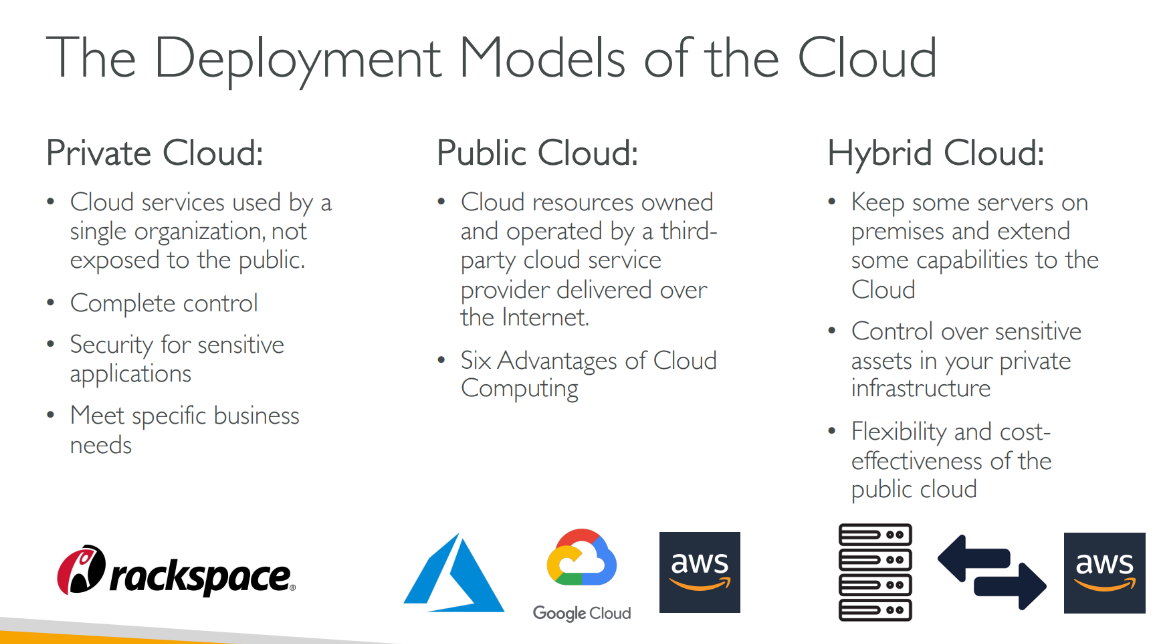
Cloud computing deployment models define how cloud services are made available to users. Each model determines ownership, accessibility, and control of cloud infrastructure and resources.
The main deployment models include
1. Public Cloud
Cloud resources owned and operated by a third-party cloud service provider and delivered over the internet.
- Includes AWS, Azure, GCP
- Offers scalability, global reach, and on-demand provisioning
- Supports the six major advantages of cloud computing (cost reduction, agility, elasticity, etc.)
2. Private Cloud
Cloud services used by a single organization, not exposed publicly.
- Complete control of the environment
- Enhanced security for sensitive workloads
- Designed to meet specific business or compliance needs
3. Hybrid Cloud
A combination of on-premises infrastructure and public cloud resources.
- Sensitive assets remain on private infrastructure
- Additional workloads extend into the cloud
- Provides flexibility and cost efficiency while retaining control where needed
4. Community Cloud
A shared cloud infrastructure built for a specific community or group of organizations that have common requirements, such as:
- Regulatory or compliance obligations
- Shared security concerns
- Similar mission or operational needs
Community Cloud falls between private and public cloud—shared, but only with trusted groups.
5. Multi-Cloud
Multi-cloud refers to using multiple cloud providers at the same time, such as:
- Running workloads on AWS + Azure, or
- Using GCP for analytics and AWS for compute, etc.
Why organizations use multi-cloud:
- Avoid vendor lock-in
- Increase availability and redundancy
- Optimize cost by choosing the most cost-effective service per provider
- Leverage unique capabilities from different platforms (e.g., GCP BigQuery + AWS Lambda)
Characteristics:
- No single cloud dependency
- Complex governance and architecture
- Requires strong monitoring, networking, and security integration
Multi-cloud is increasingly common in large enterprises that want resilience and flexibility beyond one provider.