01. AWS Organizations
AWS Organizations is a global service that helps you centrally manage multiple AWS accounts. It allows you to consolidate billing, apply policies, and automate account management.
| Key Term | Description |
|---|---|
| Master Account (Management Account) | The main account that creates and manages the organization. Handles consolidated billing. |
| Child Accounts (Member Accounts) | Accounts managed under the master account. |
| OU (Organizational Unit) | Logical grouping of AWS accounts to apply common policies. |
➡️ Benefits of AWS Organizations
| Benefit | Description |
|---|---|
| Consolidated Billing | All accounts under the organization share one bill managed by the master account. |
| Volume Discounts | Aggregated usage across accounts gives cost benefits on EC2, S3, etc. |
| Reserved Instance Sharing | RIs are shared among accounts for better utilization and savings. |
| Centralized Management | Create, manage, and automate account setups using the Organizations API. |
➡️ Multi-Account Strategy
You can structure accounts based on different needs:
| Strategy Type | Example |
|---|---|
| By Department/Cost Center | HR, Finance, Sales |
| By Environment | Dev, Test, Prod |
| By Project | Project-1, Project-2 |
| By Regulation/Compliance | PCI, HIPAA |
Best Practices:
- Enable AWS CloudTrail on all accounts and centralize logs in a dedicated S3 bucket.
- Apply consistent tagging standards for cost tracking.
- Use isolated logging and monitoring accounts.
- Prefer multi-account design over single account + multiple VPCs for better isolation.
➡️ Service Control Policies (SCP)
SCPs are policies that control permissions across AWS accounts within an organization.
They define which actions are allowed or denied for users and roles in the account.
| Feature | Description |
|---|---|
| Scope | Applied at the OU or account level. |
| Affects | All users and roles (including root user). |
| Excludes | Master (Management) account. |
| Policy Type | Whitelist (explicit allow) or blacklist (explicit deny). |
🟡 Important: SCPs have no effect unless there is an explicit
Allow.
🟢 Best Practice: Combine SCPs with IAM policies for layered access control.
SCP Use Cases
| Use Case | Description |
|---|---|
| Restrict Services | Example: Block EMR in production accounts. |
| Compliance Enforcement | Example: Enforce PCI compliance by denying non-compliant services. |
| Sandbox Restrictions | Example: Prevent creation of expensive resources in test environments. |
SCP Examples
Deny a Specific Service
{
  "Version": "2012-10-17",
  "Statement": [
    {
      "Effect": "Deny",
      "Action": "dynamodb:*",
      "Resource": "*"
    }
  ]
}
➡️ Automation with Organizations API
You can automate account creation and management using the AWS Organizations API particularly useful for provisioning sandbox or project-specific accounts programmatically.
➡️ Summary
| Feature | Description |
|---|---|
| Global Service | Manages multiple AWS accounts centrally. |
| Consolidated Billing | One bill, shared usage-based discounts. |
| SCPs (Service Control Policies) | Centralized policy enforcement for accounts and OUs. |
| Multi-Account Strategy | Design based on department, project, environment, or compliance. |
| Logging Best Practice | Centralize CloudTrail & CloudWatch logs in dedicated accounts. |
➡️ Exam Tips
- SCPs do not affect the master account.
- SCPs apply to all IAM users and roles, including root, but not service-linked roles.
- By default, SCPs deny everything — you must explicitly allow actions.
- Reserved Instance sharing and aggregated usage help reduce costs.
- Consolidated billing simplifies payment and reporting for all linked accounts.
➡️ AWS Organization Hands On
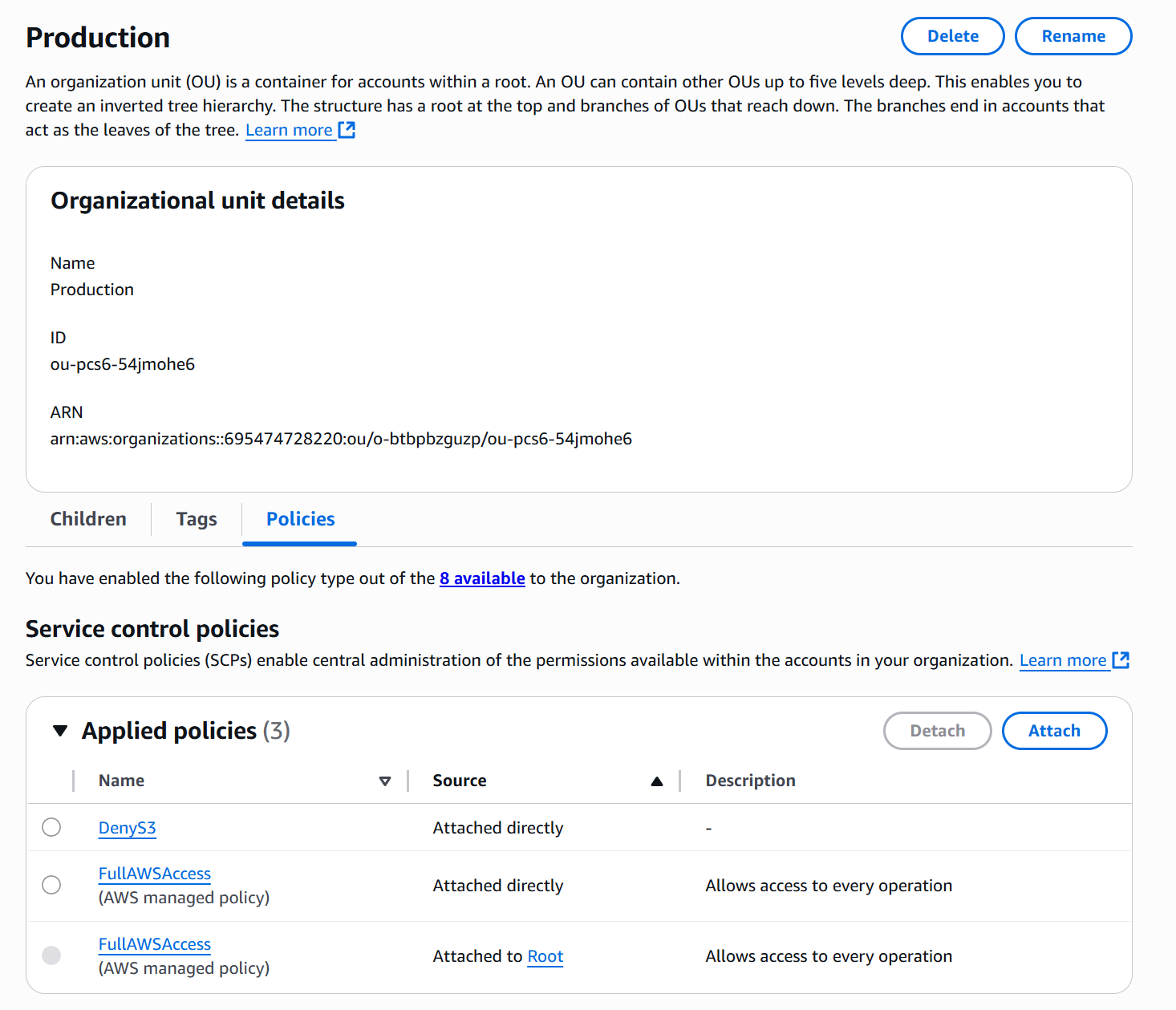
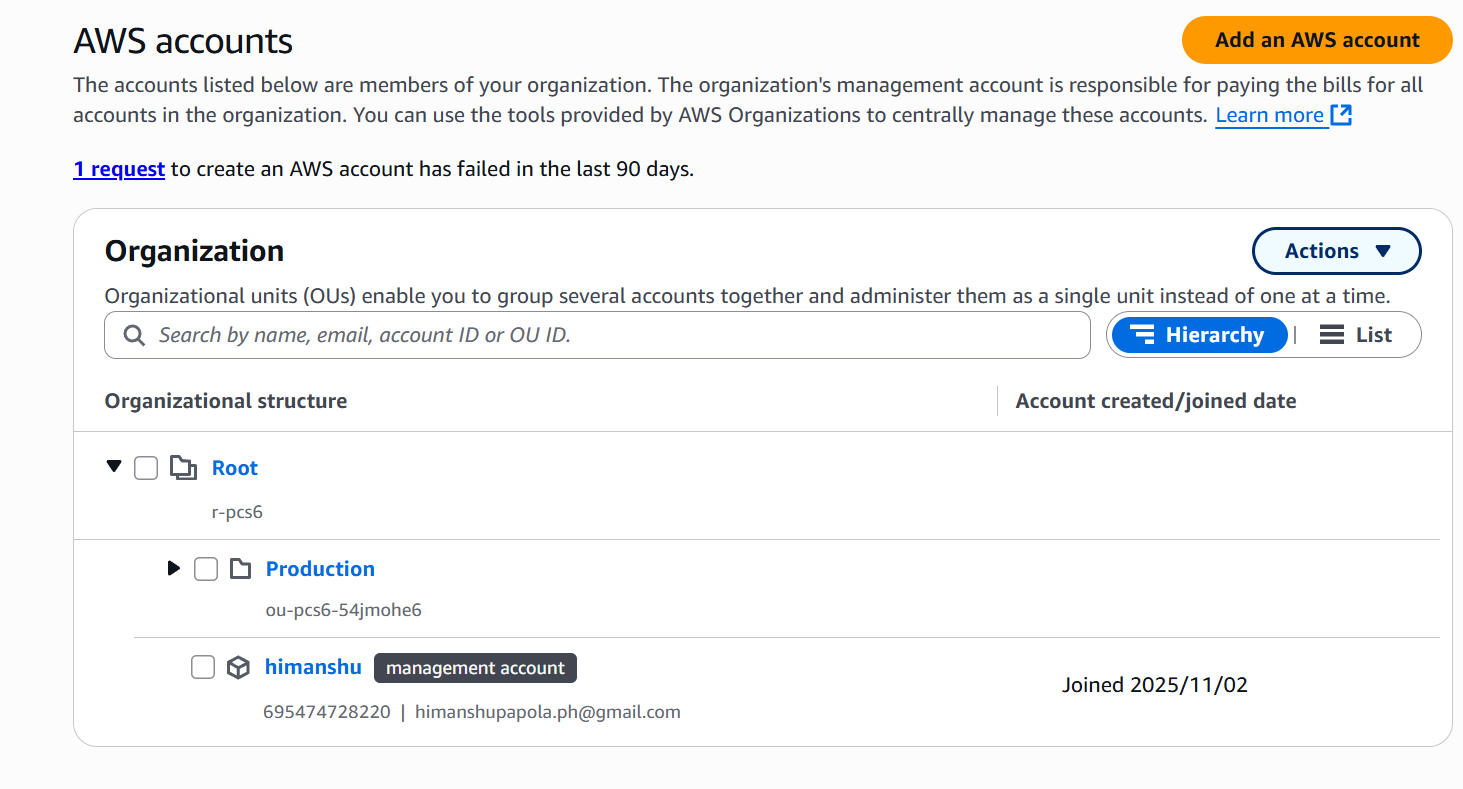
Step 1: Create Organization Units
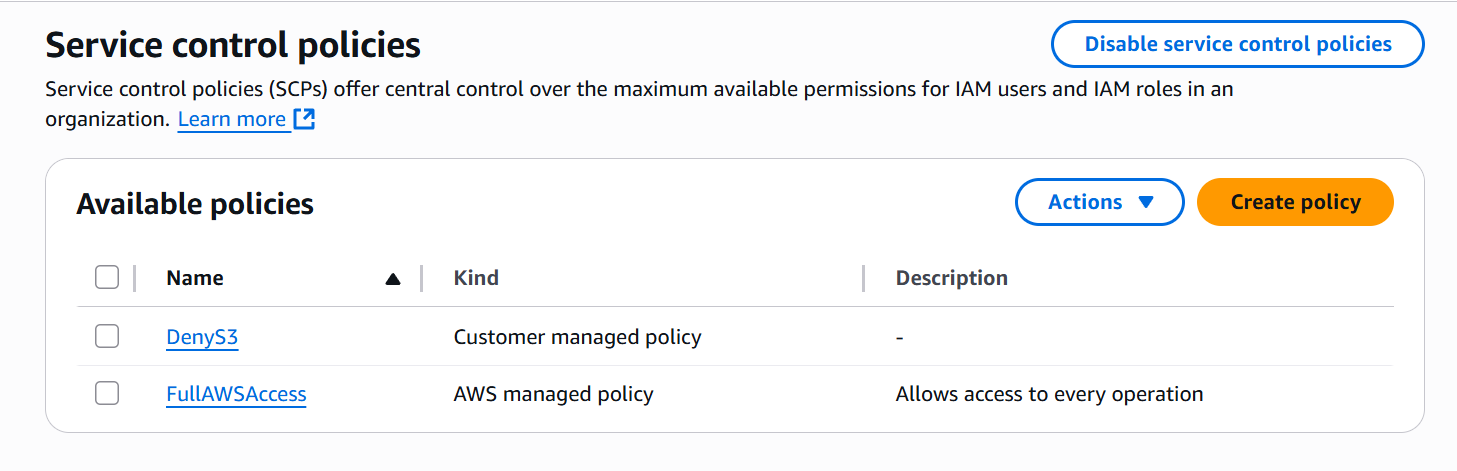
Step 2: Enable SCP
Step 3: Attached SCP