⚙️ 05. EC2 Network Settings
EC2 Network Settings allow you to configure networking components such as VPC, Subnets, Security Groups, and Public IP Addresses during instance creation.
🌐 VPC (Virtual Private Cloud)
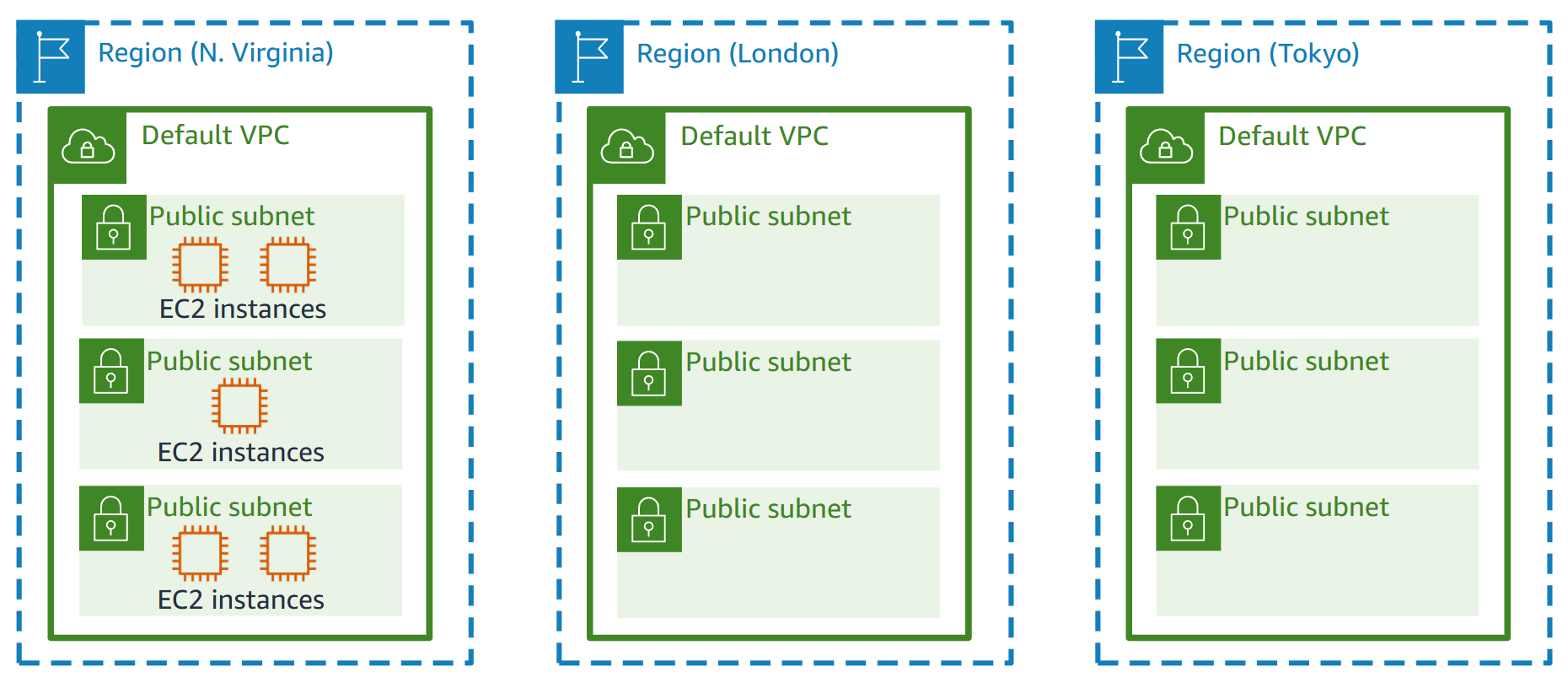
- A VPC is a logically isolated section of the AWS Cloud where you can launch AWS resources.
- It lets you define:
- IP address ranges
- Subnets
- Route tables
- Gateways (Internet or NAT)
- You can use the default VPC or create a custom VPC for more granular control.
- Each VPC spans a single AWS Region and can have multiple subnets across different Availability Zones.
🧩 Subnet
- A Subnet is a segment of a VPC’s IP address range where you can place your resources.
- Subnets help divide your network into smaller, manageable sections.
- Each subnet must reside in a single Availability Zone.
- Types of subnets:
- Public Subnet – Connected to the Internet through an Internet Gateway.
- Private Subnet – Isolated from the Internet, often used for databases or internal apps.
- You can create multiple subnets in your VPC for better fault tolerance and organization.
🔒 Security Groups
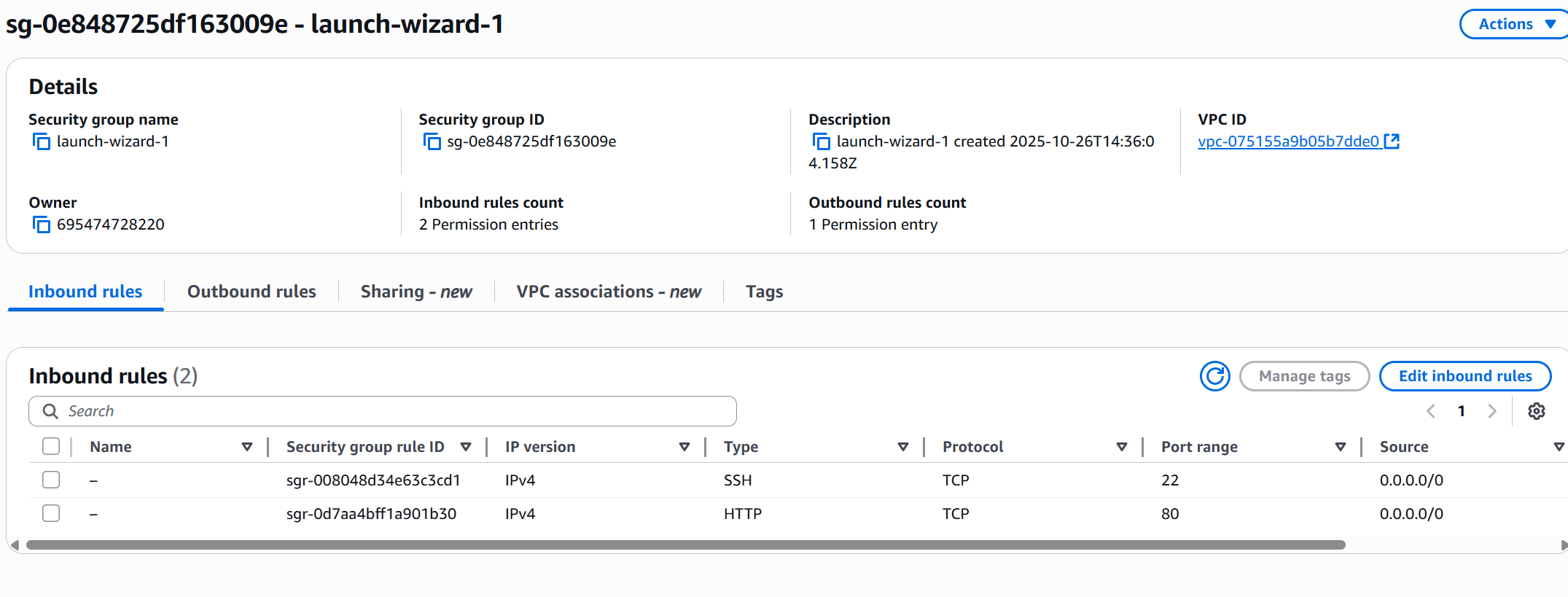
Security Groups are the foundation of network security in AWS. They act as virtual firewalls that control how traffic is allowed into or out of your EC2 instances.
⚙️ Key Features
- Security groups contain rules only inbound traffic is denied by default and outbound traffic are authorised by deafult
- Rules can reference:
- IP addresses (IPv4 or IPv6)
- Other security groups
- They manage:
- Inbound traffic → from external sources to the instance
- Outbound traffic → from the instance to external destinations
Security Groups operate at the instance level and act as a firewall that regulates:
- Access to specific ports
- Authorized IP ranges (IPv4 / IPv6)
🌍 Common Ports to Know
| Port | Protocol | Description |
|---|---|---|
| 22 | SSH | Log into a Linux instance |
| 21 | FTP | Upload files to a file share |
| 22 | SFTP | Upload files securely using SSH |
| 80 | HTTP | Access unsecured websites |
| 443 | HTTPS | Access secured websites |
| 3389 | RDP | Log into a Windows instance |
💡 Tip: By default, all inbound traffic is blocked, and all outbound traffic is allowed — you must explicitly allow inbound connections (like SSH or HTTP).
🧩 Security Groups — Good to Know
-
🔁 Can be attached to multiple instances
A single security group can secure multiple EC2 instances. -
🌍 Locked to a Region / VPC
Security groups are specific to a Region and VPC — they can’t be reused across regions. -
🧱 Exist outside the EC2 instance
Security groups filter traffic before it reaches the instance.
If traffic is blocked, the instance never sees it. -
🧰 Best Practice:
Maintain a separate security group for SSH access to simplify management and auditing.
🔗 Referencing Other Security Groups
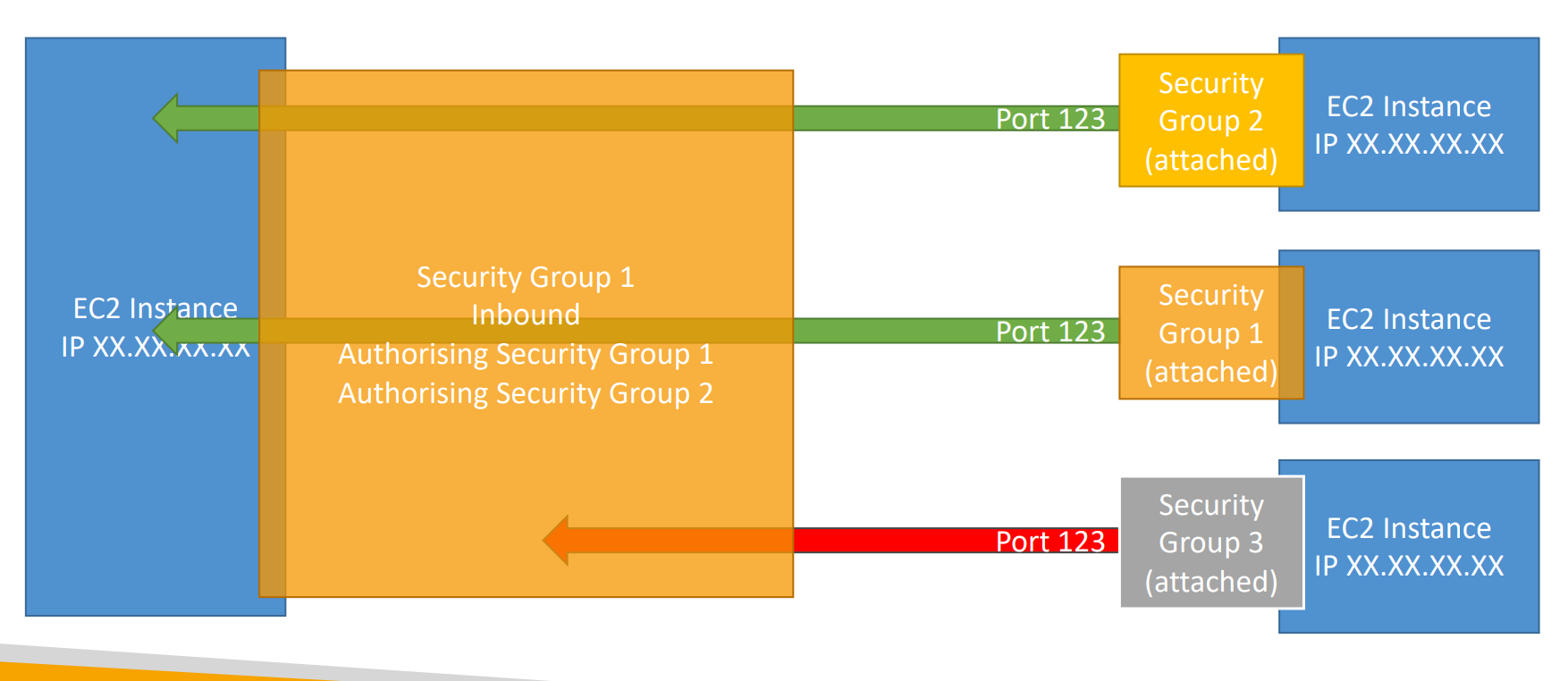
In AWS, Security Groups can reference other Security Groups instead of using IP addresses. This allows secure communication between specific EC2 instances or tiers (like web ↔ app ↔ database) within your VPC.
🧠 How It Works
- Instead of allowing access from a public IP (like
0.0.0.0/0),
you can specify another Security Group as the source or destination in your rule. - This means only instances that belong to that referenced Security Group can communicate.
💡 Example Use Case
| Layer | Security Group | Purpose | Allows Traffic From |
|---|---|---|---|
| Web Tier | SG-Web | Hosts public web servers | 0.0.0.0/0 (Internet) |
| App Tier | SG-App | Runs backend application servers | SG-Web |
| DB Tier | SG-DB | Hosts databases | SG-App |
➡️ Here,
- Web servers can reach App servers,
- App servers can reach Databases,
- But Web servers cannot directly reach Databases.
🧩 Benefits
- 🛡️ Enhanced security — avoids exposing internal layers to the internet.
- 🔄 Dynamic — if new instances join the referenced group, rules automatically apply.
- 🧰 Simplifies management — no need to update IPs when instances change.
💬 Example Rule:
Allow inbound traffic on port3306(MySQL) from security groupSG-App.
This means only EC2 instances in SG-App can connect to the database instance.
🚨 Troubleshooting Tips
| Problem | Likely Cause |
|---|---|
| Application times out | Security group blocking incoming traffic |
| Application shows "connection refused" | Application not running or internal app error |