06. 💾 EBS Snapshot
An EBS Snapshot is a point-in-time backup of an EBS volume. You can create it anytime — detaching the volume is optional but recommended.
Snapshots can be copied across Availability Zones or Regions.
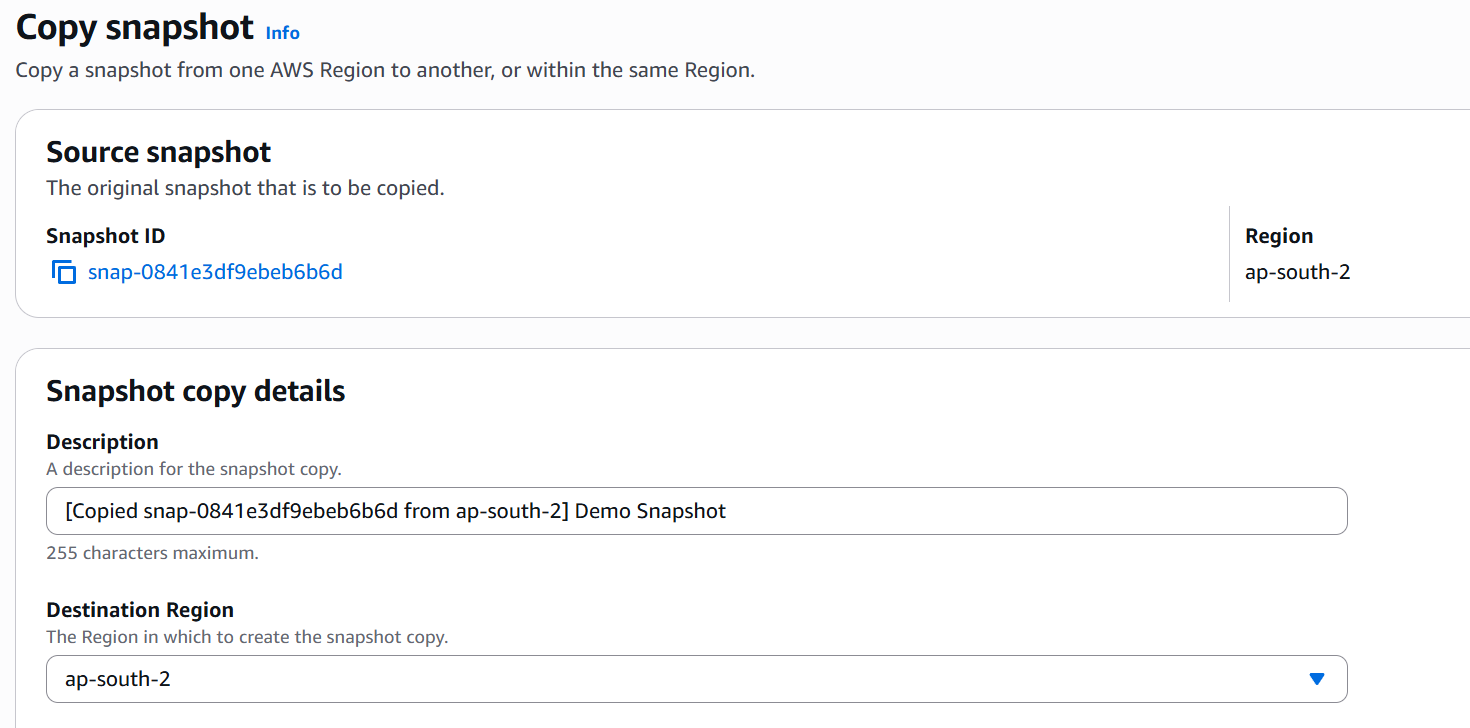
Useful for backup, restore, and migration of volumes.
⚙️ EBS Snapshot Features
🗄️ EBS Snapshot Archive
- Move snapshots to an archive tier (up to 75% cheaper).
- Restore time: 24–72 hours.
🧺 Recycle Bin for Snapshots
- Retain deleted snapshots for accidental recovery.
- Configure retention policies (from 1 day to 1 year).
🪄 Creating an EBS Snapshot
🪜 Steps
-
Go to EC2 Dashboard → Elastic Block Store → Volumes.
-
Select the volume you want to back up.
-
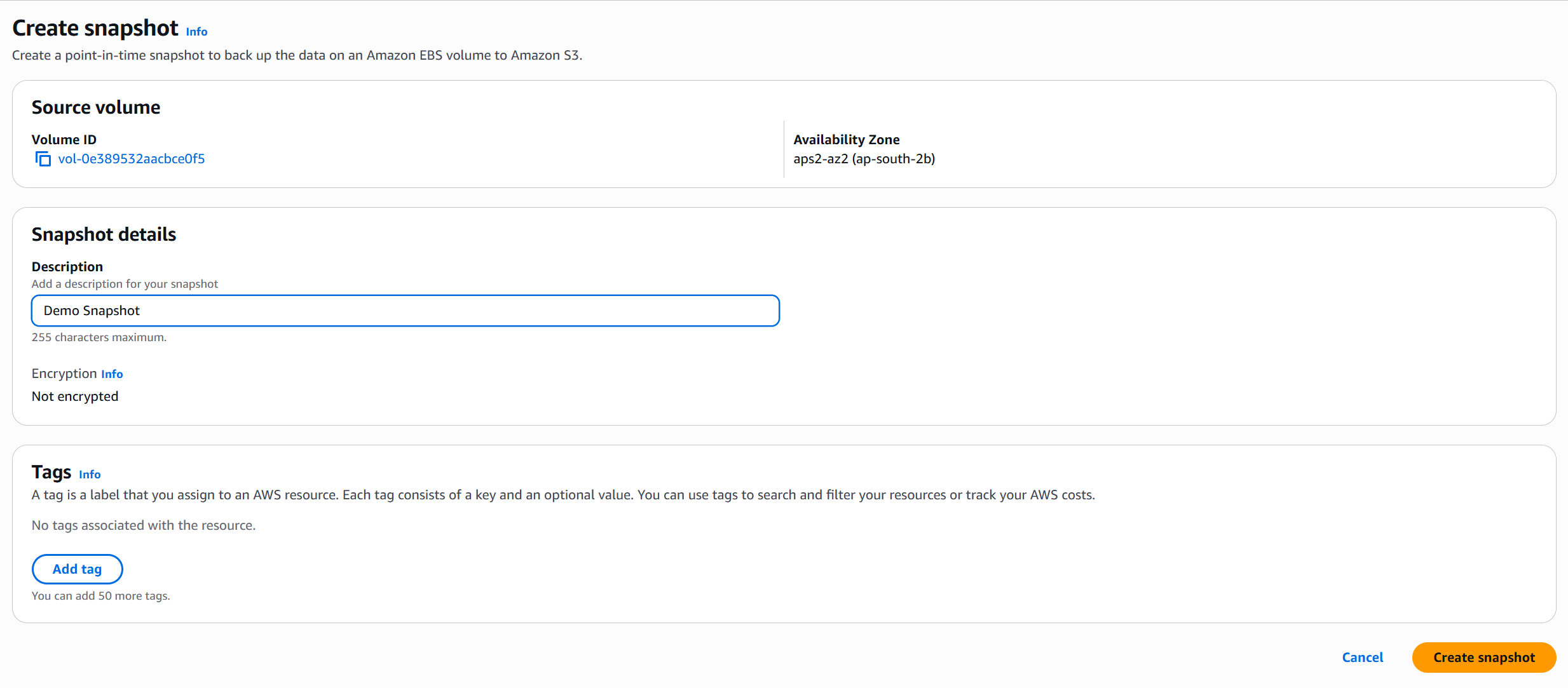
Click Actions → Create Snapshot.
-
(Optional) Add a Description or Tags for identification.
-
Click Create Snapshot.
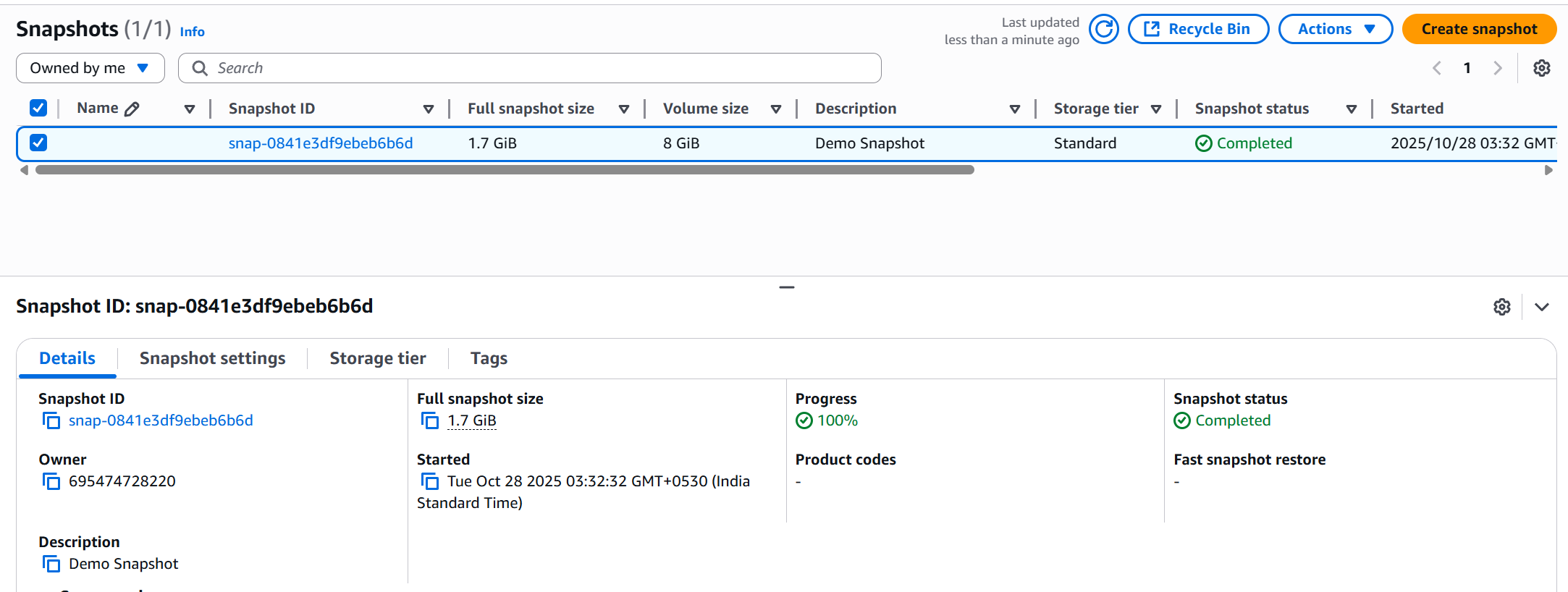
💡 You don’t need to detach the volume to take a snapshot but it’s recommended to ensure data consistency.
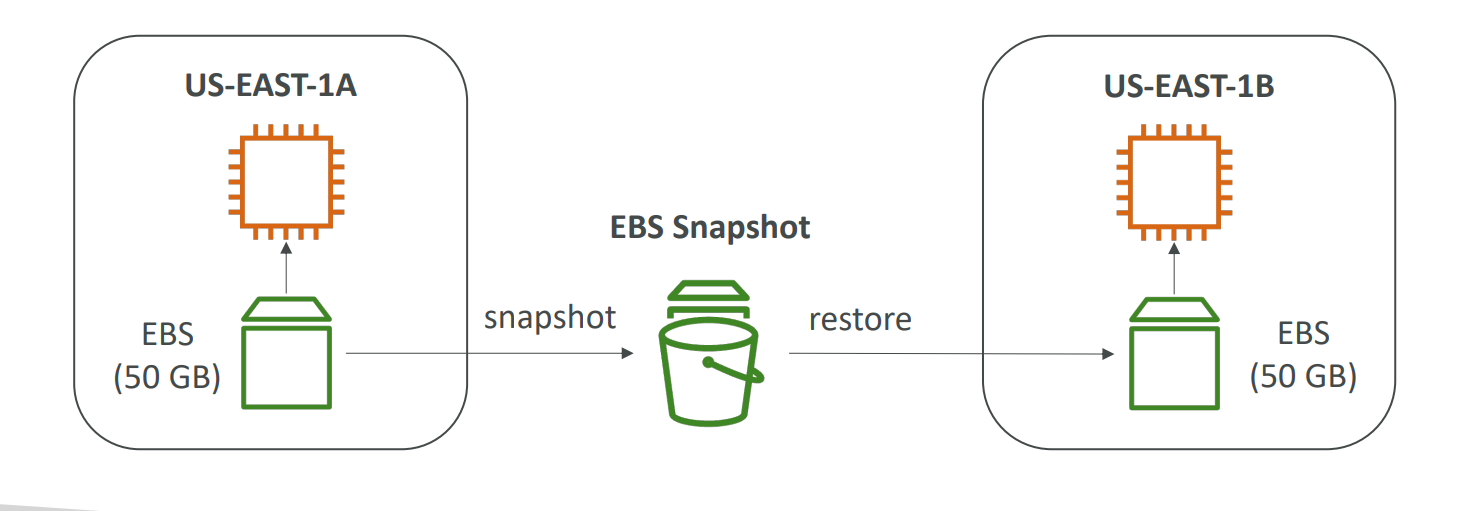
🔁 Copying an EBS Snapshot
🪜 Steps
- Go to EC2 Dashboard → Elastic Block Store → Snapshots.
- Select the snapshot you want to copy.
- Click Actions → Copy Snapshot.
- Choose the Destination Region or Availability Zone.
- (Optional) Encrypt the copy or add tags.
- Click Copy Snapshot.
🎯 Why Copy a Snapshot?
| Reason | Description |
|---|---|
| Cross-Region Backup | Protect data from regional failures by keeping backups in another Region. |
| Migration | Move EBS volumes or AMIs to a different Region for deployment. |
| Sharing | Copy and share snapshots with other AWS accounts. |
| Compliance | Maintain geographically distributed backups for disaster recovery. |
💽 Creating a Volume from a Snapshot
🪜 Steps
- Go to EC2 Dashboard → Elastic Block Store → Snapshots.
- Select the snapshot you want to restore.
- Click Actions → Create Volume from Snapshot.
- Choose:
- Volume Type (e.g.,
gp3,io2) - Size (can be larger than the snapshot)
- Availability Zone (where you’ll attach the instance)
- Volume Type (e.g.,
- Click Create Volume.
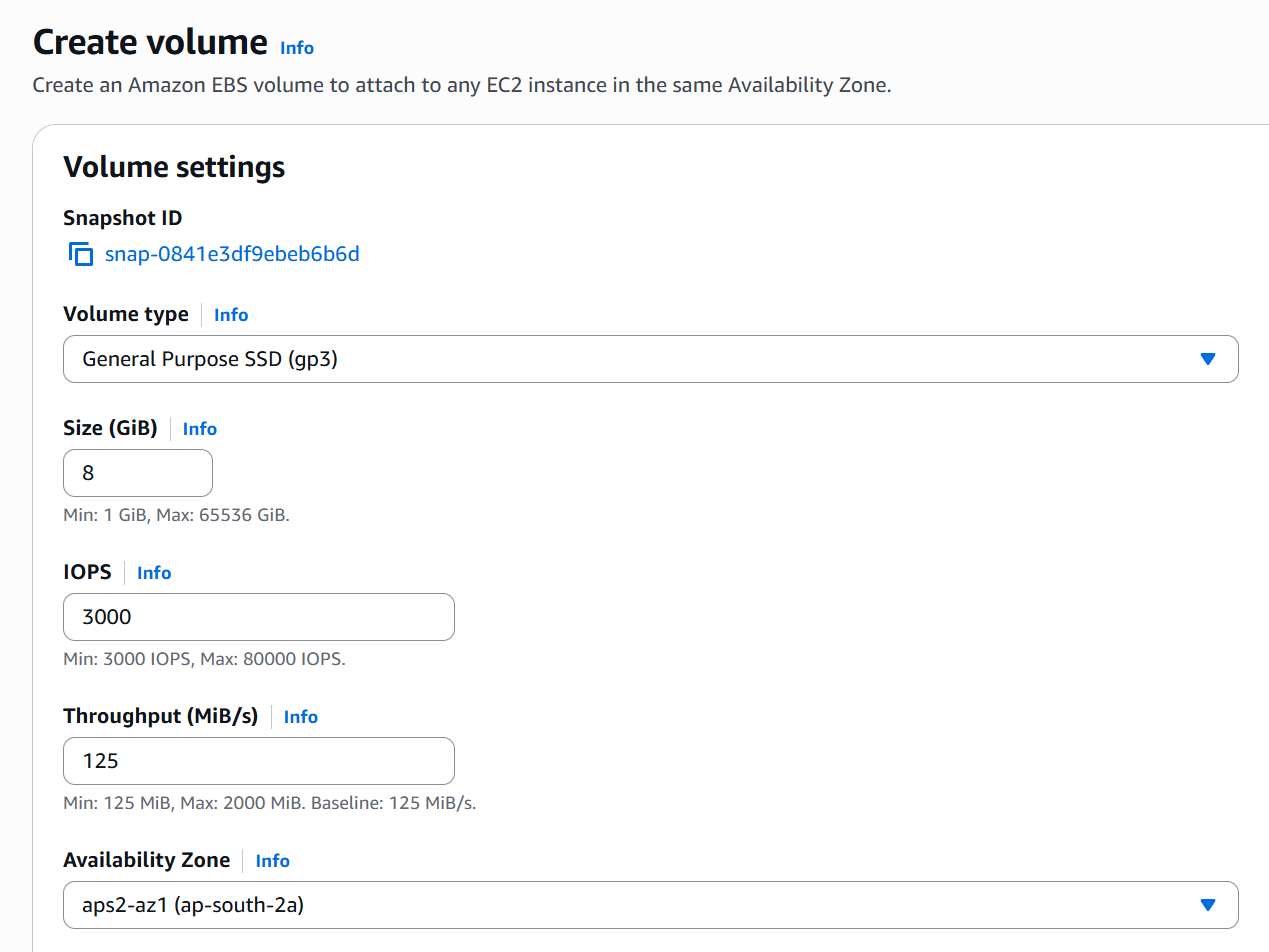
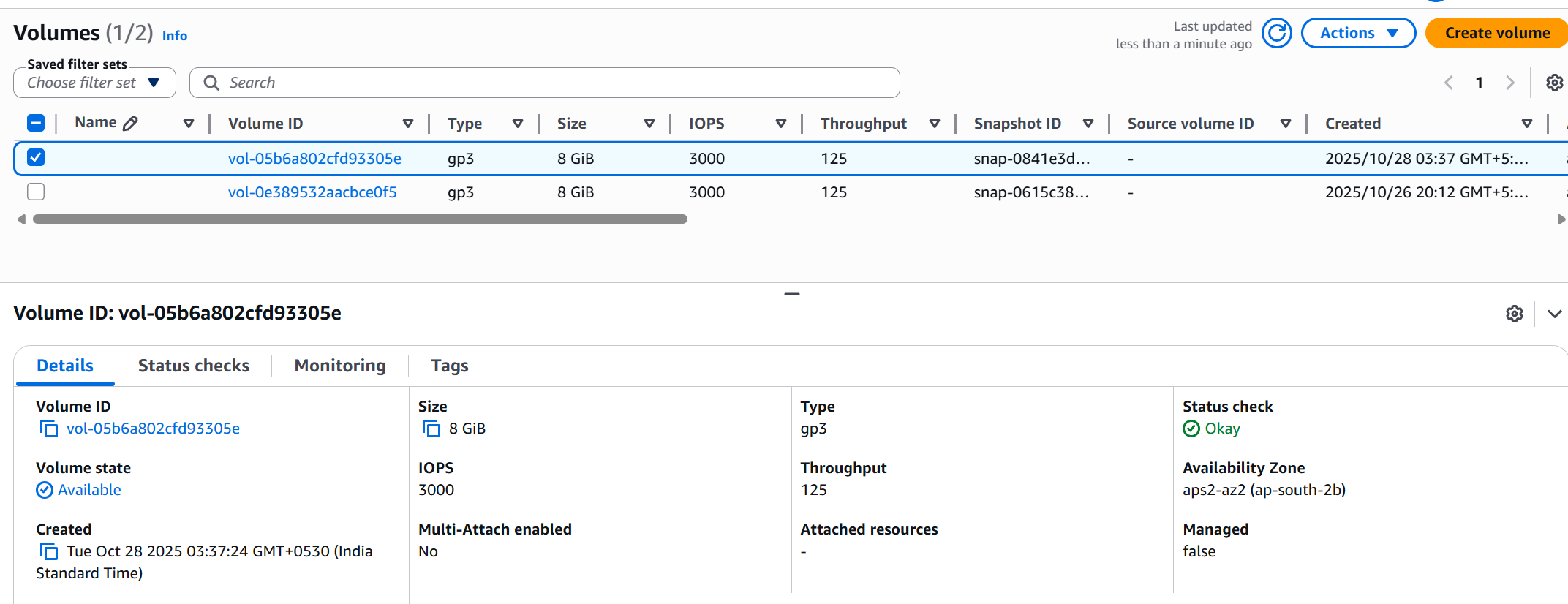
🎯 Why Create a Volume from a Snapshot?
| Use Case | Description |
|---|---|
| Data Recovery | Restore data from a previous backup. |
| Cloning | Create identical volumes for testing or scaling. |
| Migration | Recreate the volume in another Region or AZ. |
🧺 Creating a Retention Rule for Recycling Snapshots, Volumes or AMI
🪜 Steps
- Go to EC2 Dashboard → Elastic Block Store → Recycle Bin.
- Click Create Retention Rule.
- Under Resource Type, select EBS Snapshots.
- Set:
- Retention Period: e.g.,
7 days,30 days, or up to1 year. - Resource Tags: define which snapshots the rule applies to.
- Retention Period: e.g.,
- Click Create Rule.
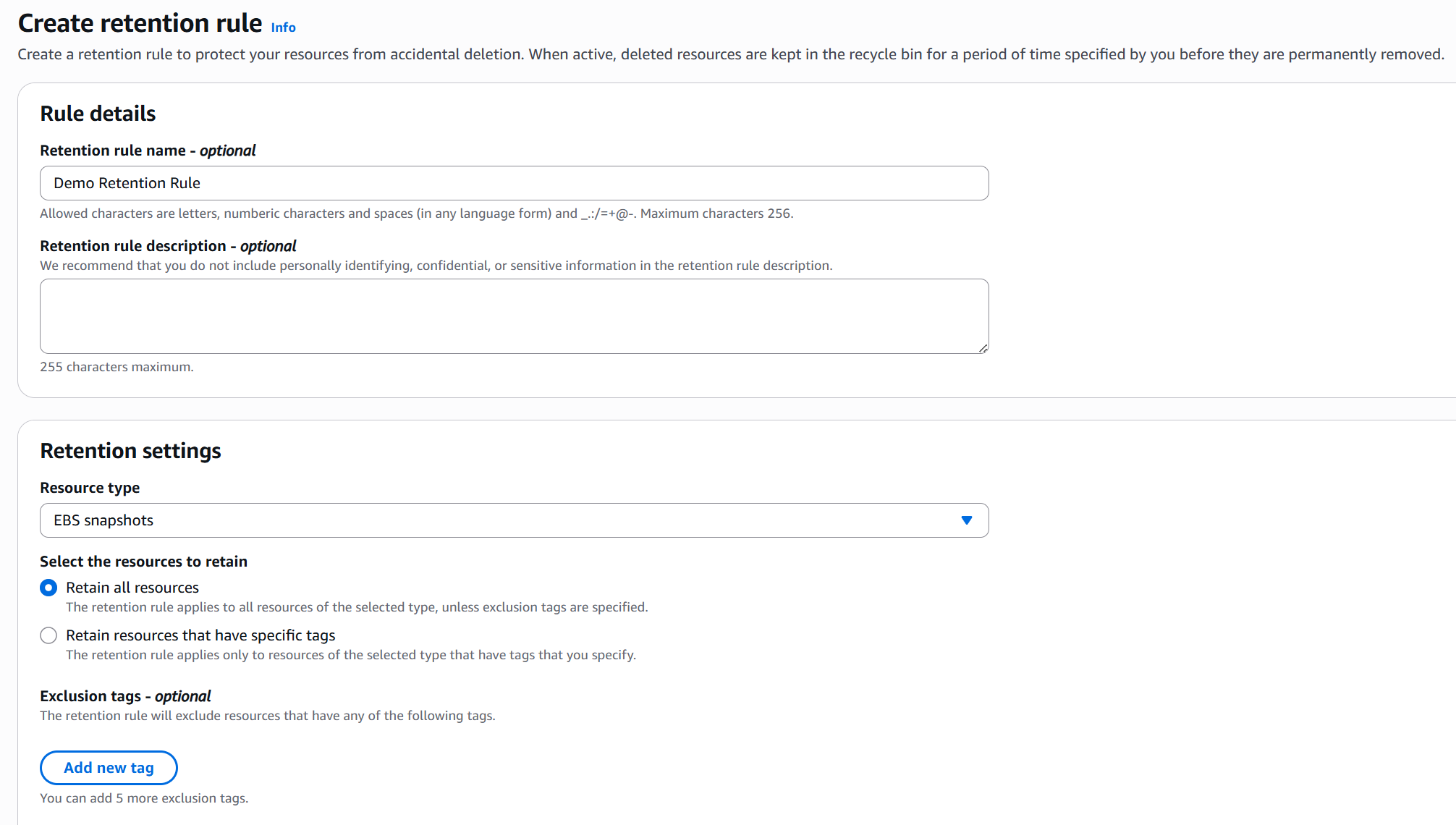
- Now any deleted snapshot will go to recycle bin first.