02. 💾 EBS Volume
An EBS (Elastic Block Store) Volume is a network attached block storage that you can attach to your EC2 instances while they run. It allows data persistence even after the instance is stopped or terminated.
⚙️ Key Characteristics
| Feature | Description |
|---|---|
| Type | Network-attached block storage (not physically attached) |
| Persistence | Data persists beyond instance lifetime |
| Mounting | Can only be attached to one instance at a time (at the CCP level) |
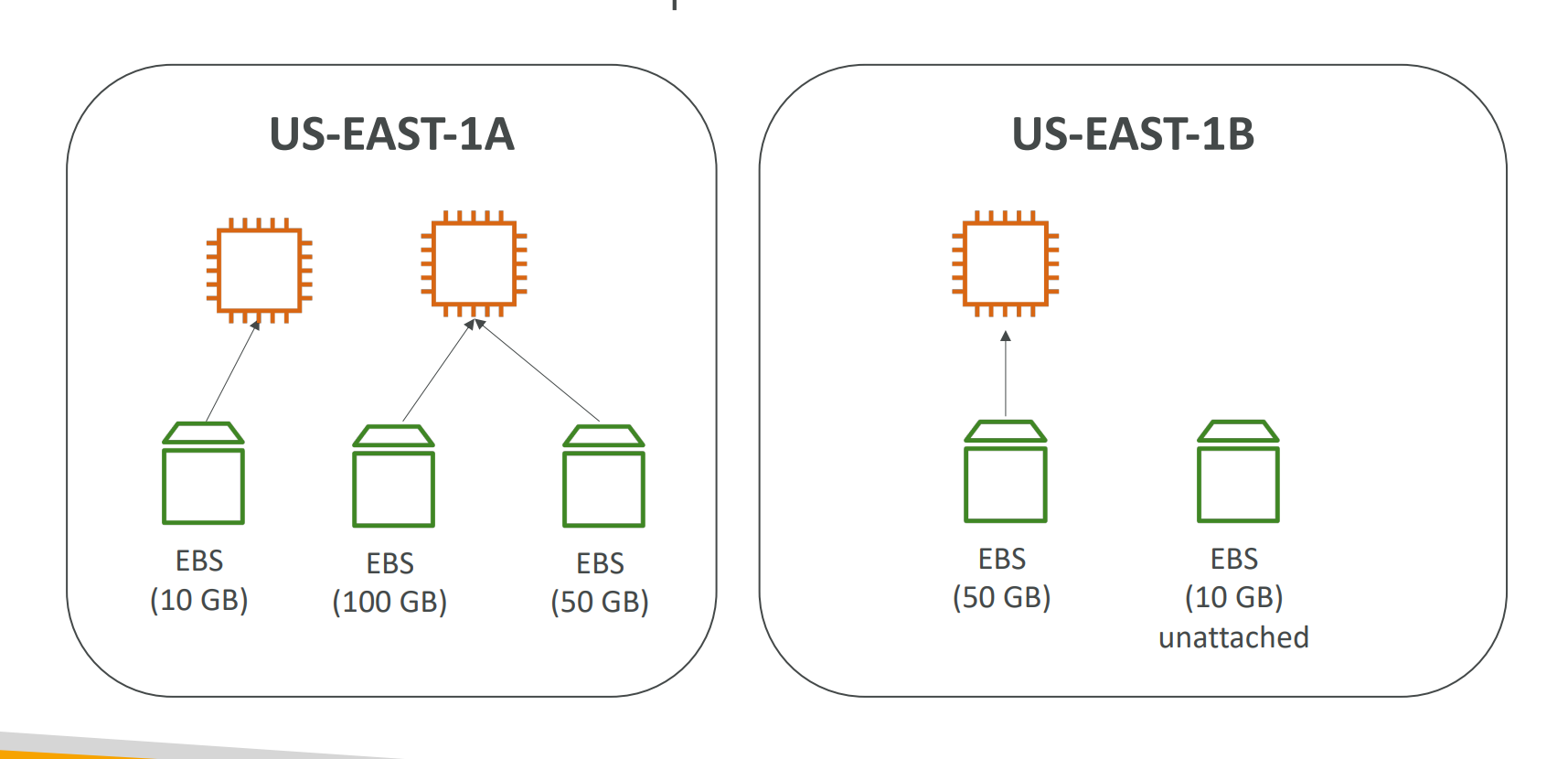
| Availability Zone Bound | Volumes are locked to a single AZ |
| Performance | Slight latency since it communicates over the network |
| Provisioned Capacity | Billed for allocated size (GBs) and IOPS |
| Scalability | Volume size and IOPS can be increased over time |
Preserve the root volume when an instance is terminated for troubleshooting or data recovery.
Detach and reattach EBS volumes across instances to retain or migrate data.
🧠 Analogy
Think of an EBS Volume like a “network USB stick”
You can attach it, detach it, and move it between compatible instances in the same Availability Zone.
🔁 EBS Volume Mobility
- An EBS Volume in
us-east-1acannot be attached to an instance inus-east-1b. - To move it across AZs or Regions:
- Create a Snapshot of the volume.
- Restore that snapshot in another AZ or Region.
⚡ EBS – Delete on Termination Attribute
| Setting | Default Behavior | Description |
|---|---|---|
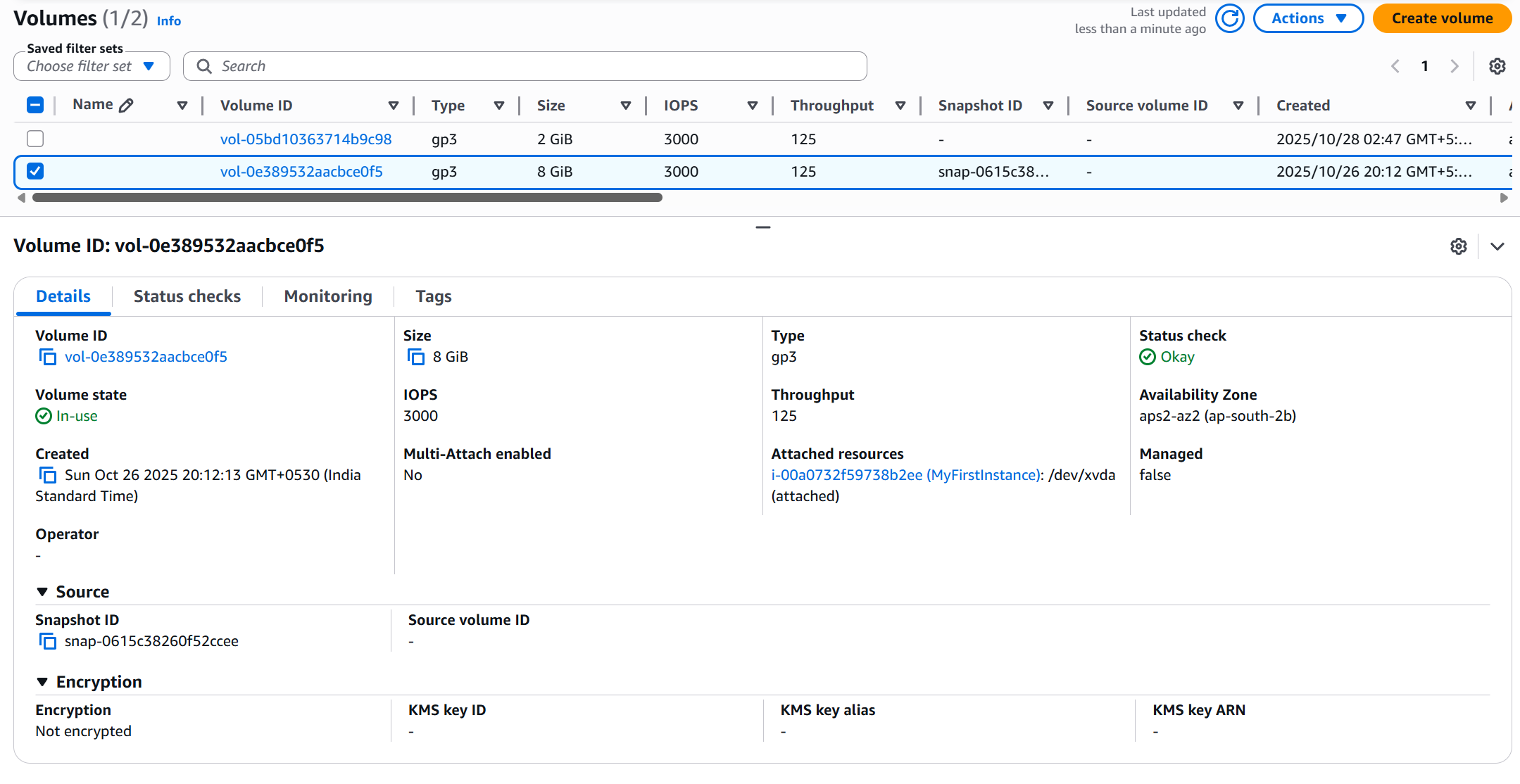
| Root Volume | ✅ Enabled | Deleted when the EC2 instance terminates |
| Additional Volumes | ❌ Disabled | Not deleted automatically on termination |
👷♂️ Creating EBS Volume and Attaching It
-
Go to EC2 Dashboard → Elastic Block Store → Volumes.
-
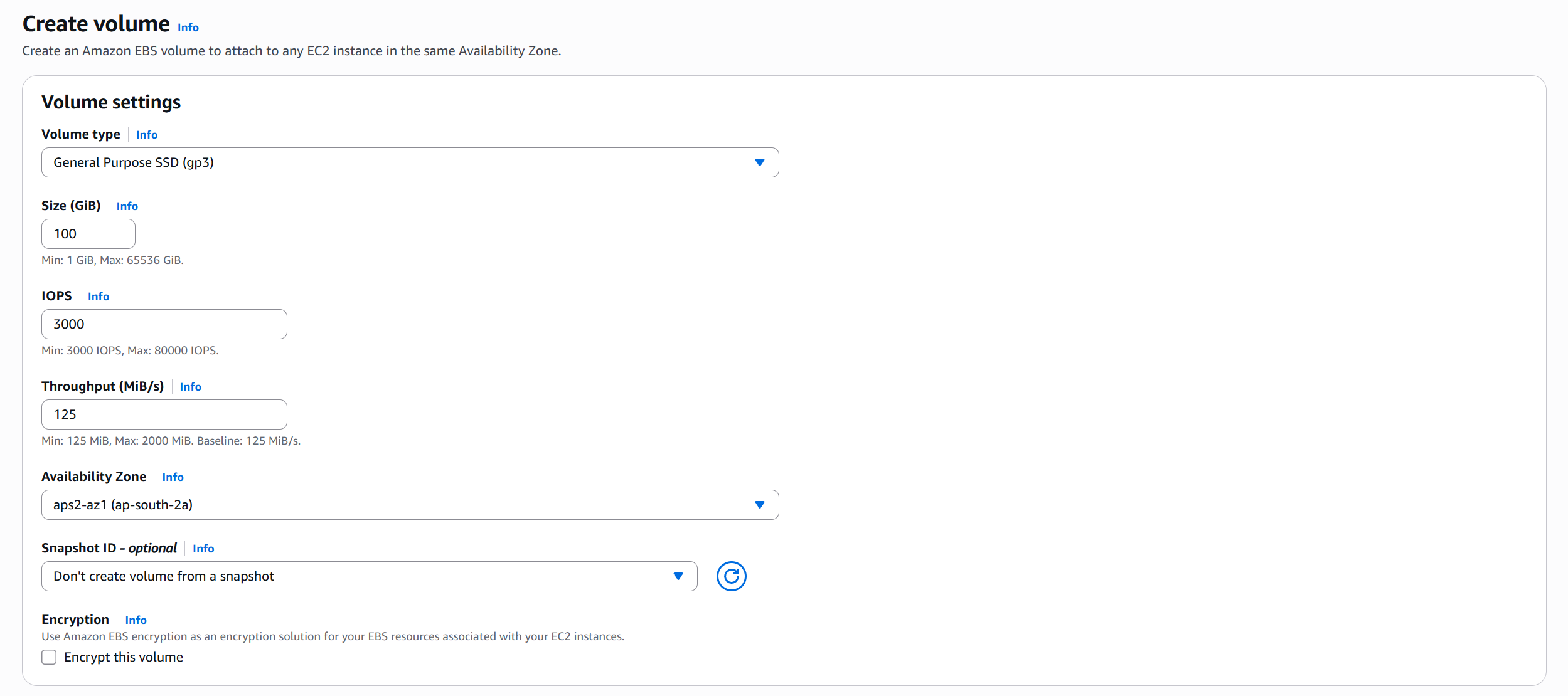
Click Create Volume → choose size, type, and same AZ as your instance → Create.
-
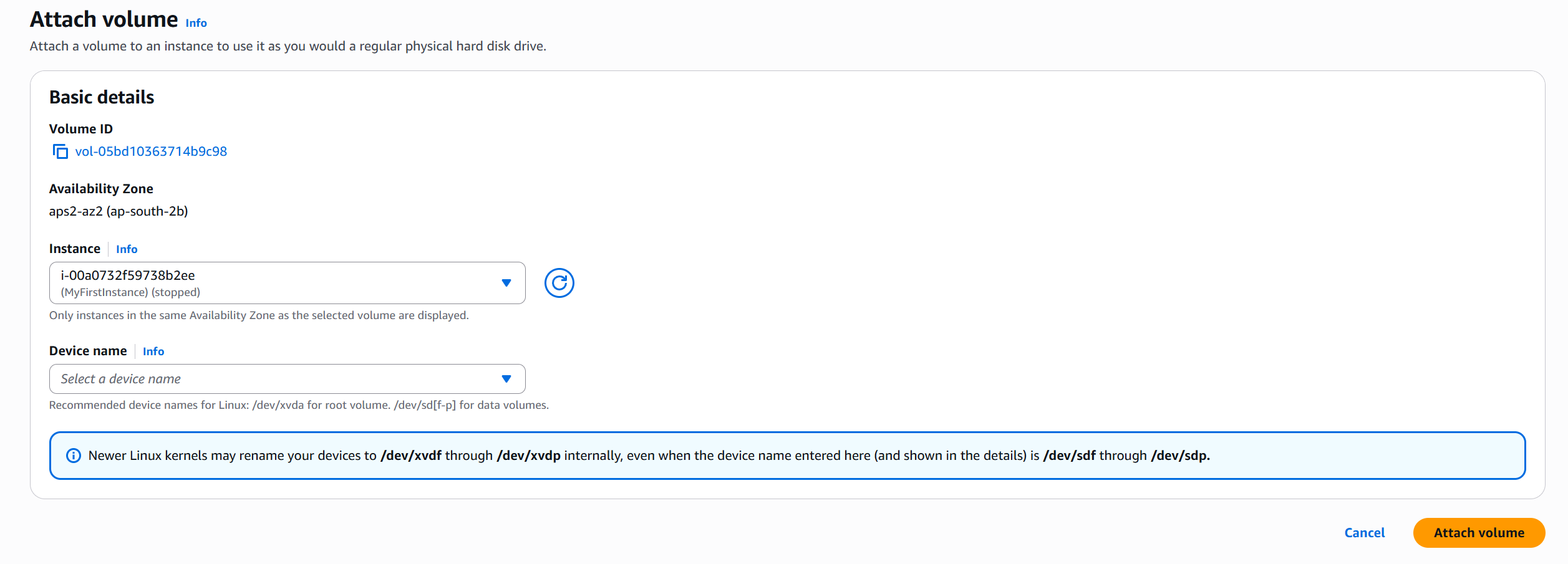
Select the new volume → Actions → Attach Volume → choose your instance → Attach.