07. Amazon S3 Storage Classes
Amazon S3 offers multiple storage classes to optimize cost, performance, and availability for different data access patterns. Objects can be moved between these classes manually or automatically using S3 Lifecycle configurations.
🧩 Durability vs Availability
| Concept | Description | Example |
|---|---|---|
| Durability | Probability that data will not be lost | 99.999999999% (11 9’s) — loss of 1 object every 10,000 years (if 10M stored) |
| Availability | How readily accessible the service is | 99.99% for S3 Standard → ~53 mins downtime/year |
All S3 storage classes share the same durability, but availability varies by class.
💾 Amazon S3 Storage Classes
| Storage Class | Availability | Description | Use Cases |
|---|---|---|---|
| S3 Standard (General Purpose) | 99.99% | For frequently accessed data. Low latency, high throughput. Survives 2 concurrent AZ failures. | Big Data analytics, mobile apps, gaming, content distribution |
| S3 Standard-IA (Infrequent Access) | 99.9% | Lower cost, for data that is rarely accessed but needs fast retrieval. | Disaster Recovery, backups |
| S3 One Zone-IA | 99.5% | Stored in a single AZ (data lost if AZ destroyed). Lower cost. | Secondary backups, easily re-creatable data |
| S3 Glacier Instant Retrieval | — | Archive storage with millisecond retrieval. Min storage: 90 days. | Quarterly access backups |
| S3 Glacier Flexible Retrieval | — | Archive storage with multiple retrieval options: • Expedited: 1–5 mins • Standard: 3–5 hrs • Bulk: 5–12 hrs (free) Min storage: 90 days | Long-term backups, non-urgent data |
| S3 Glacier Deep Archive | — | Lowest-cost archive. • Standard: 12 hrs • Bulk: 48 hrs Min storage: 180 days | Compliance, regulatory archives |
| S3 Intelligent-Tiering | — | Automatically moves objects between access tiers based on usage. No retrieval charges. Small monthly monitoring fee. | Dynamic data sets, unknown access patterns |
⚙️ Intelligent-Tiering Access Tiers
| Tier | Type | Trigger (No Access For) | Description |
|---|---|---|---|
| Frequent Access | Automatic | Default | Standard frequent usage |
| Infrequent Access | Automatic | 30 days | For rarely accessed data |
| Archive Instant Access | Automatic | 90 days | Archive with millisecond retrieval |
| Archive Access | Optional | 90–700+ days | Cold archive |
| Deep Archive Access | Optional | 180–700+ days | Deep cold archive, lowest cost |
🔒 Object Lock & Vault Lock
| Feature | Description | Purpose |
|---|---|---|
| S3 Object Lock | Enforces WORM (Write Once Read Many) policy at the object level. Prevents version deletion for a specified time. | Compliance, data retention |
| Glacier Vault Lock | Applies WORM policy at the vault level. Locks the policy permanently (no edits allowed). | Compliance, secure archiving |
⚙️ Amazon S3 Storage Class & Lifecycle Rules Demo
🖊️ S3 Classes Customize
01. Upload an Object with a Specific Storage Class
- Open your existing S3 bucket
- Click Upload → Add files → choose
coffee.jpeg - Under Properties → Storage class, select one of:
STANDARDSTANDARD_IAONEZONE_IAINTELLIGENT_TIERINGGLACIER_INSTANT_RETRIEVALGLACIER_FLEXIBLE_RETRIEVALGLACIER_DEEP_ARCHIVE
- Click Upload
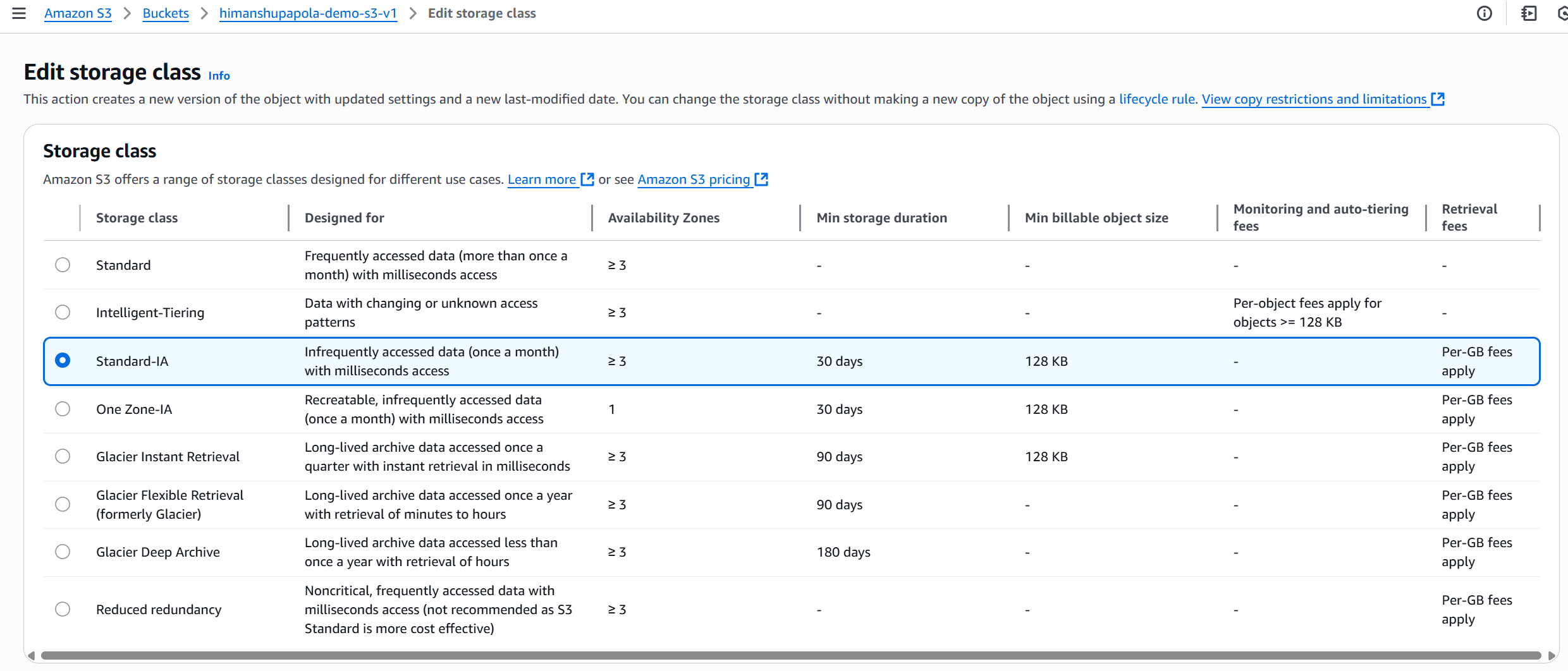
📌 Each object can have its own storage class.
02. Change Storage Class (Manual Edit)
- Select the uploaded object
- Go to Properties → Edit Storage Class
- Choose a new class (e.g., from
STANDARD_IA→ONEZONE_IA) - Click Save changes
✅ The object’s storage class is updated instantly.
🎰 Automate Transitions with Lifecycle Rules
- In the same bucket, go to Management → Create Lifecycle Rule
- Name:
DemoRule - Scope: Apply to all objects
- Under Transitions, define:
After (Days) Move To 30 Standard-IA 60 Intelligent-Tiering 180 Glacier Flexible Retrieval - Review the settings → Save Rule
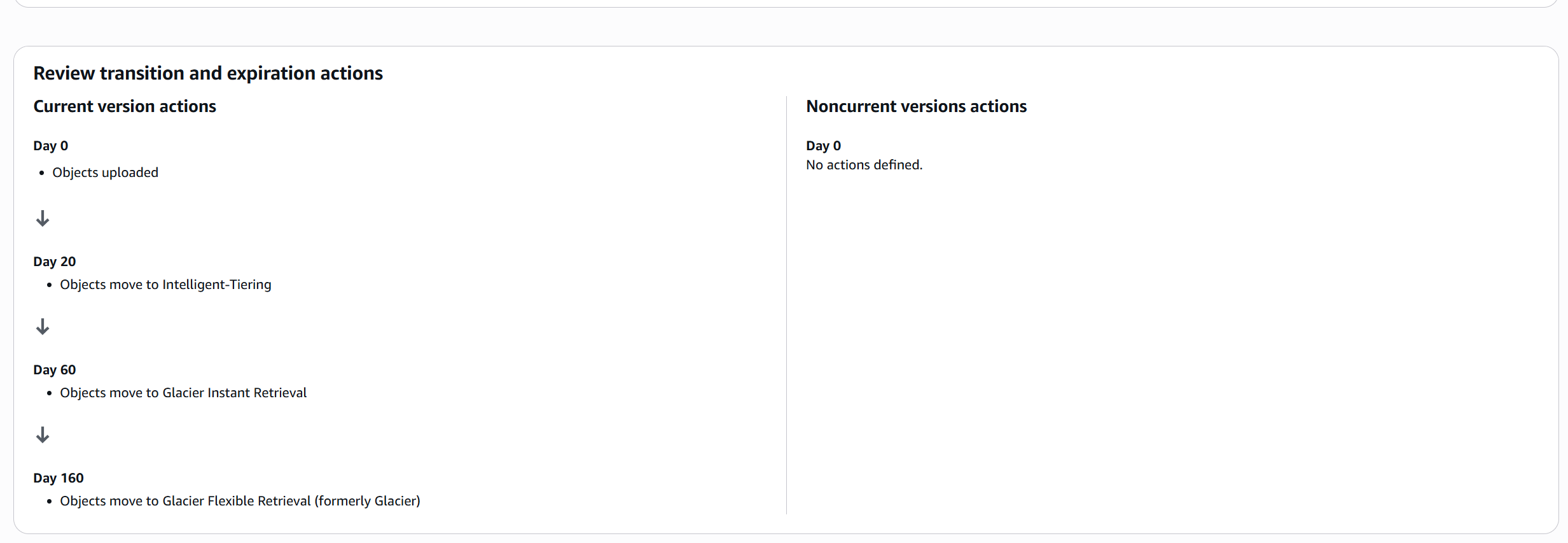
✅ S3 will automatically move objects between tiers based on their age.
🧠 Key Takeaways
- All S3 classes have 11 9’s durability.
- Availability decreases as cost and redundancy decrease.
- Lifecycle rules or Intelligent-Tiering can automate class transitions.
- Glacier tiers are for archival and regulatory data.
- Object Lock and Vault Lock enforce WORM compliance.
- Storage class applies per object.
- You can manually edit or automate class transitions.
- Lifecycle rules help reduce costs by archiving old data automatically.
⚡ Amazon S3 Express One Zone
S3 Express One Zone is a high-performance, single-AZ storage class designed for ultra-low latency and high request rates.
Objects are stored in a special Directory Bucket, not a standard S3 bucket.
⚙️ Key Characteristics
| Feature | Description |
|---|---|
| Storage Type | Stored in a single Availability Zone (you choose which one) |
| Performance | Up to 10× faster than S3 Standard |
| Latency | Single-digit millisecond latency |
| Availability | Lower (single AZ only) |
| Durability | High, but confined to one AZ |
| Cost | ~50% lower than S3 Standard |
| Bucket Type | Requires a Directory Bucket (not a regular bucket) |
🚀 Use Cases
- Latency-sensitive workloads
- Data-intensive analytics
- AI/ML model training
- Financial modeling
- Media processing
- High-performance computing (HPC)
🔗 AWS Integrations
Best used with:
- Amazon SageMaker (training jobs)
- Amazon Athena
- Amazon EMR
- AWS Glue
🔐 Amazon S3 Encryption
-
Server-Side Encryption (SSE):
S3 encrypts objects after upload — default behavior.
(Encryption done by AWS.) -
Client-Side Encryption (CSE):
User encrypts data before upload.
(Encryption done by user.)
✅ By default, S3 uses Server-Side Encryption for all new objects.
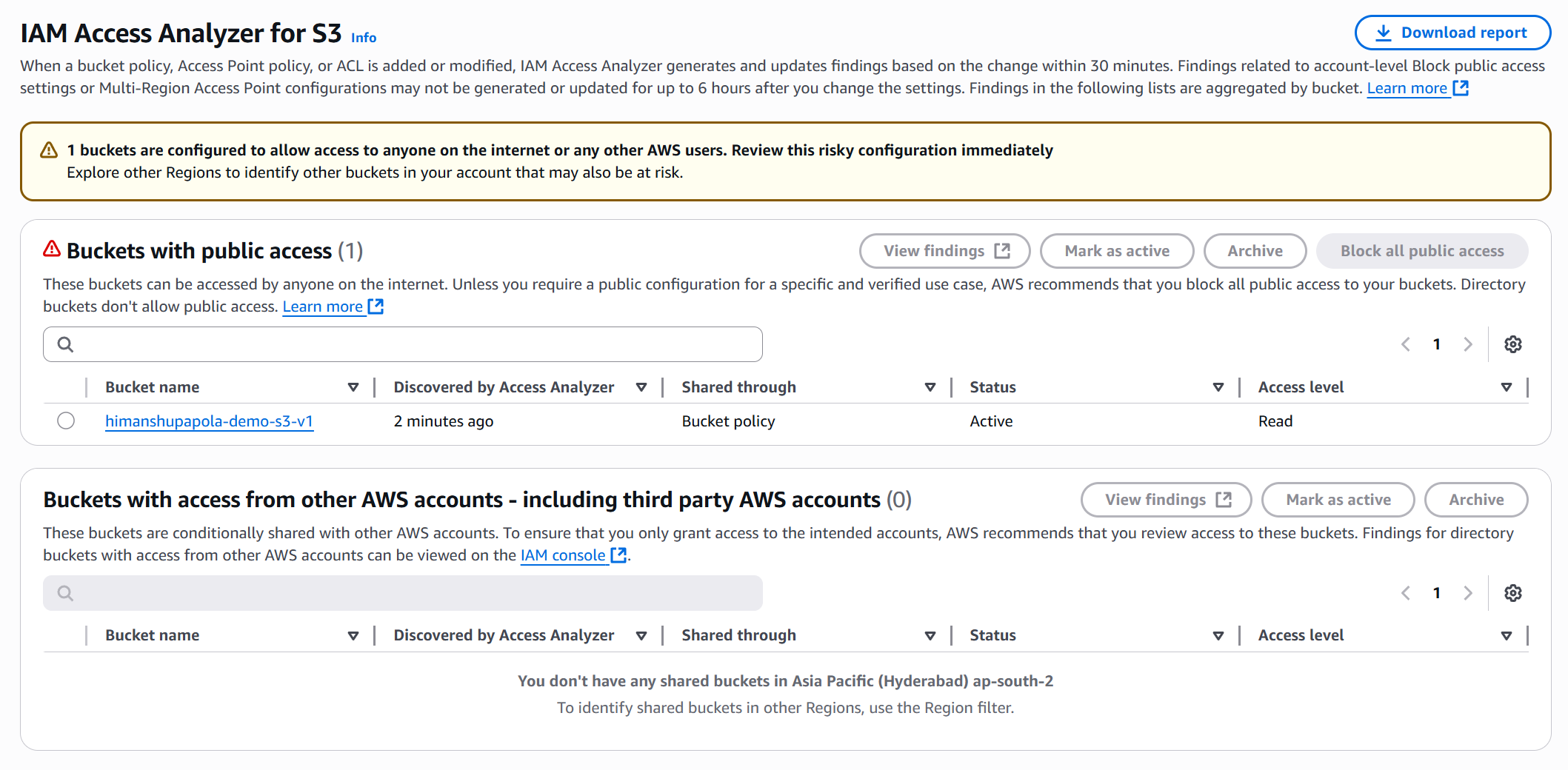
🕵️ IAM Access Analyzer for S3
- Purpose: Monitors S3 buckets for unintended public or cross-account access.
- How: Analyzes Bucket Policies, ACLs, and Access Point Policies.
- Use: Identifies buckets shared publicly or with other AWS accounts.
- Goal: Helps detect and fix security misconfigurations.