06. Amazon S3 Replication
Amazon S3 Replication allows you to automatically copy objects between buckets either within the same AWS Region or across different Regions.
There are two replication types:
| Type | Name | Description |
|---|
| CRR | Cross-Region Replication | Replicates objects between buckets in different AWS Regions |
| SRR | Same-Region Replication | Replicates objects between buckets in the same Region |
Replication is asynchronous and requires versioning enabled on both source and destination buckets.
🧩 Prerequisites
| Requirement | Description |
|---|
| ✅ Versioning | Must be enabled on both source and destination buckets |
| ✅ Permissions | IAM role must allow S3 to read from source and write to destination |
| ✅ Destination bucket | Can be in same or different AWS account |
| |
⚙️ Use Cases
| Replication Type | Common Use Cases |
|---|
| CRR | 🔹 Compliance or data sovereignty🔹 Disaster recovery🔹 Lower latency for global users🔹 Cross-account replication |
| SRR | 🔹 Log aggregation🔹 Dev/Test environment sync🔹 Backup within same Region |
🧭 Create Replication Setup (Step-by-Step)
1️⃣ Create Source Bucket
- Go to Amazon S3 Console → click Create bucket
- Name:
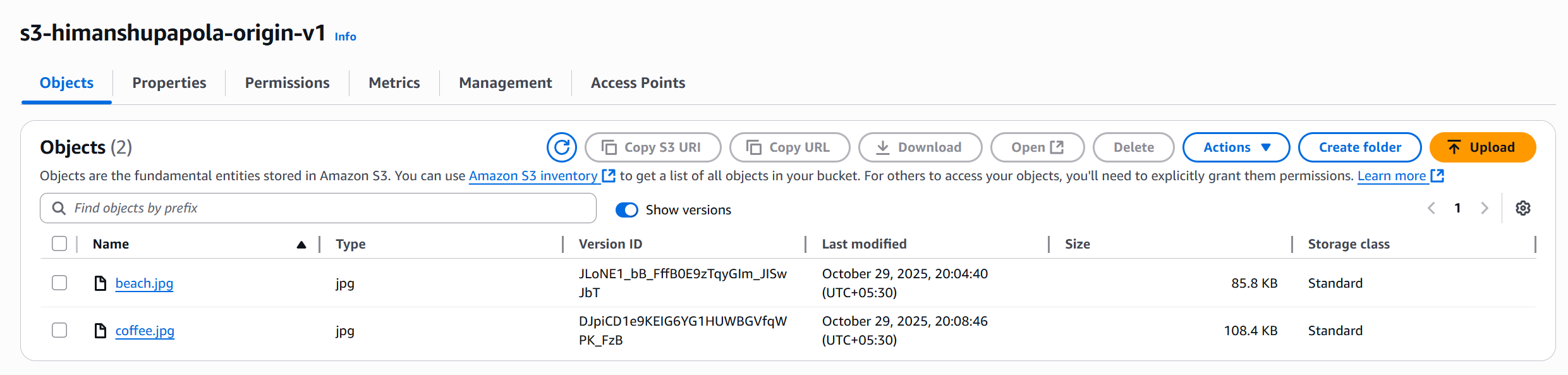
s3-himanshupapola-origin-v1
- Choose region → e.g.
ap-south-2
- Enable Versioning
2️⃣ Create Destination Bucket
- Create another bucket:
s3-stephane-bucket-replica-v2
- Choose region →
- Same region → SRR
- Different region (e.g.
us-east-1) → CRR
- Enable Versioning
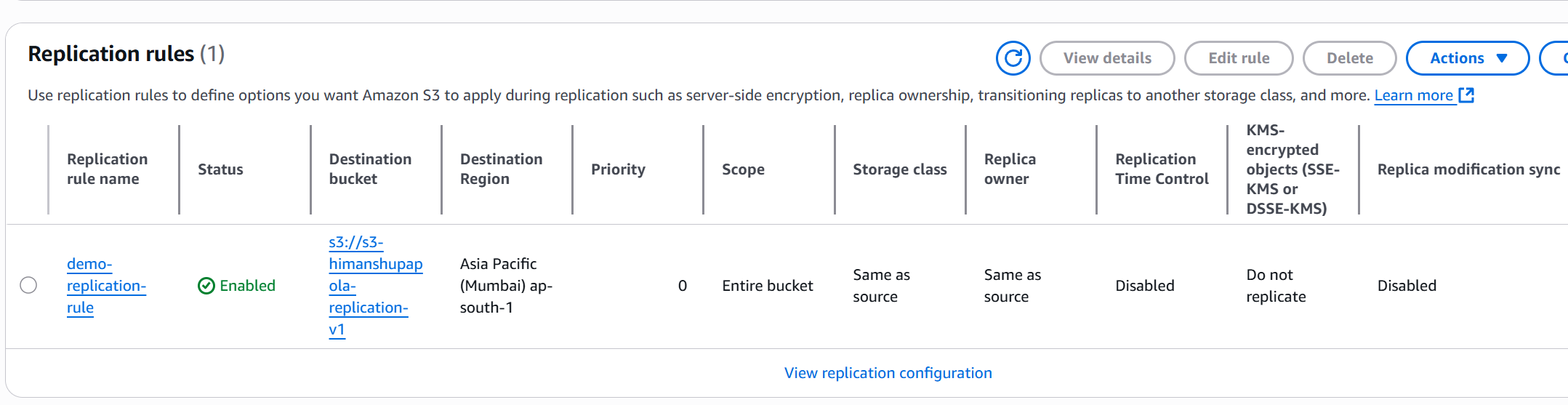
- Go to Source Bucket → Management → Replication rules → Create rule
- Rule name:
demo-replication-rule
- Apply to: All objects
- Destination bucket: Choose your replica bucket
- Region auto-detected
- IAM Role: Create new role (S3 handles permissions)
- Choose whether to replicate existing objects (optional)
🧩 Testing Replication
| Action | Result |
|---|
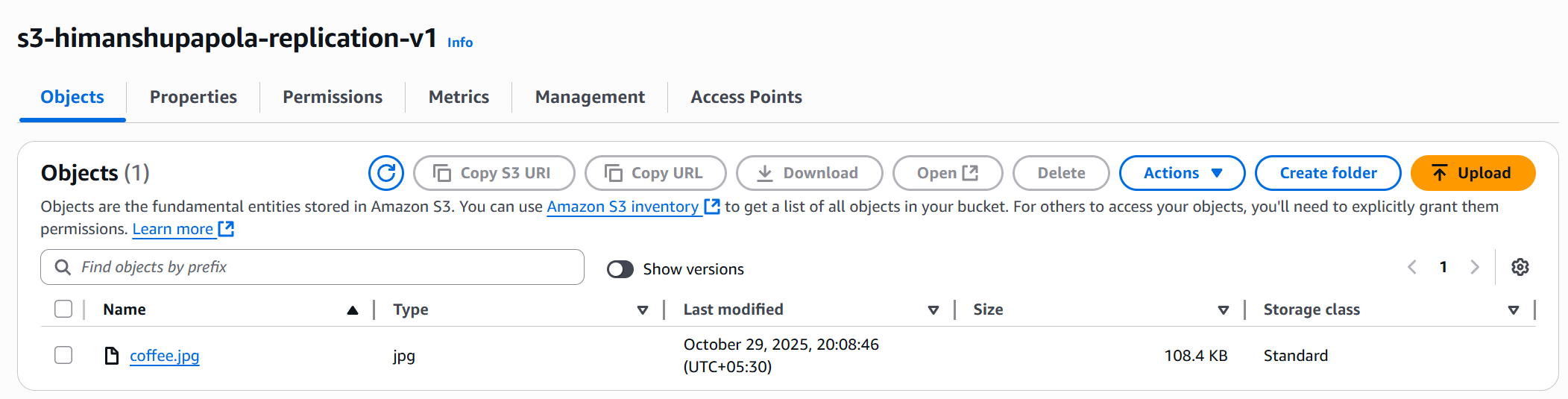
Upload coffee.jpeg to source bucket | File automatically replicates to destination bucket |
| Check object versions | Version IDs are identical in both buckets |
⚡ Notes & Limitations
- Replication works only from the time rule is created — previous objects not copied automatically.
→ Use S3 Batch Operations for existing objects.
- Replication is one-way (source → destination).
- Objects encrypted with SSE-KMS need additional permissions.
- You can chain replication rules for multiple destinations.
✅ Summary
| Feature | Description |
|---|
| Replication Type | CRR (cross-region) / SRR (same-region) |
| Replication Direction | One-way, asynchronous |
| Requires Versioning | Yes |
| Cross-Account Support | Yes |
| Supports Existing Objects | Only via batch replication |
| IAM Permissions Needed | S3 read/write access for replication role |