🌍 Amazon Route 53 Overview
Amazon Route 53 is a Managed DNS (Domain Name System) service.
- DNS = "Phonebook of the Internet"
- It helps clients resolve domain names (URLs) to IP addresses.
- Route 53 supports multiple record types to map names to resources.
📘 Common DNS Record Types
| Record Type | Description | Example |
|---|---|---|
| A Record | Maps domain → IPv4 address | www.example.com → 12.34.56.78 |
| AAAA Record | Maps domain → IPv6 address | www.example.com → 2001:db8::7334 |
| CNAME Record | Maps hostname → another hostname | search.example.com → www.example.com |
| Alias Record | Maps domain → AWS resource (ELB, CloudFront, S3, RDS, etc.) | example.com → AWS Resource |
🚦 How Route 53 Works (High-Level)
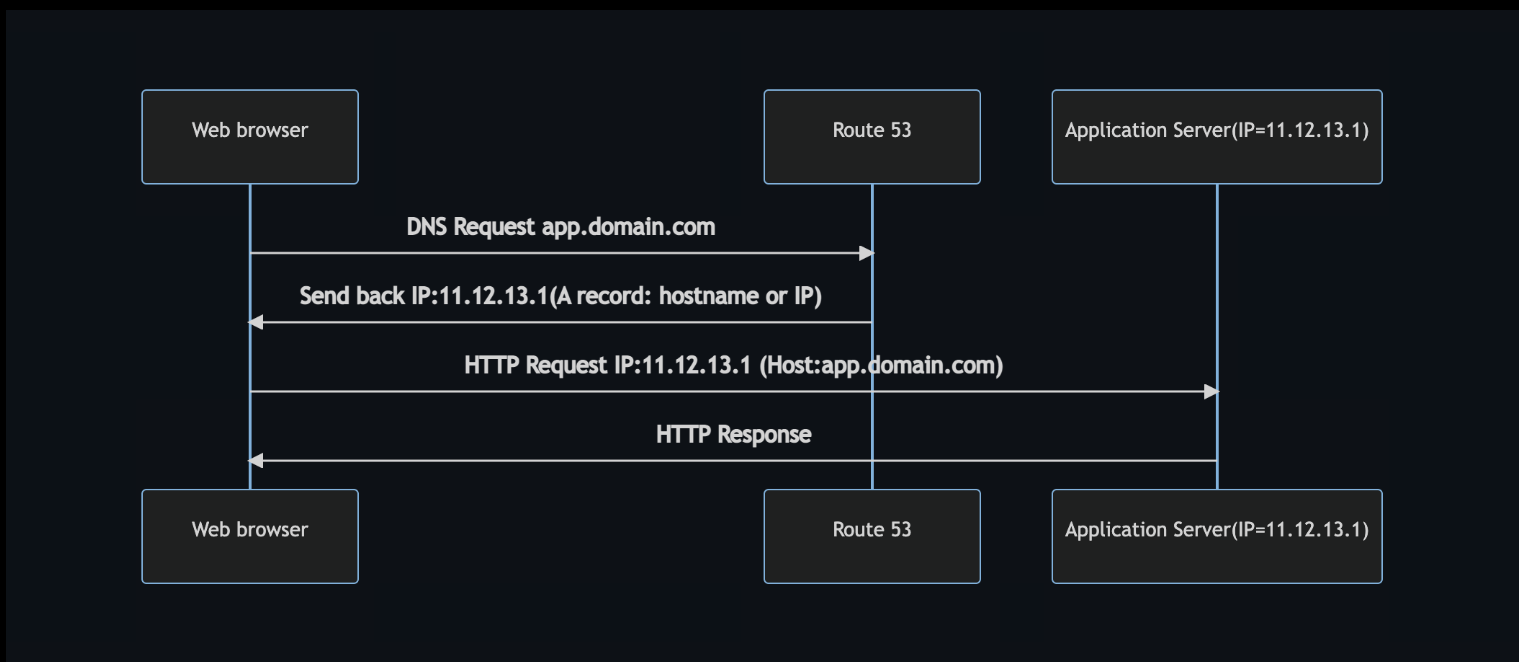
- User enters
myapp.mydomain.comin the browser. - Browser sends a DNS query to Route 53.
- Route 53 returns the IP address for that domain.
- Browser connects to that IP → reaches the correct server → gets HTTP response.
⚙️ Route 53 Routing Policies
Used to determine how traffic is directed based on use case.
| Routing Policy | Health Check | Description | Use Case |
|---|---|---|---|
| Simple | ❌ No | Returns a single resource for a domain | Single web server |
| Weighted | ✅ Yes | Distributes traffic across multiple resources based on assigned weights | Load balancing (e.g., 70%-20%-10%) |
| Latency-Based | ✅ Yes | Routes users to the region with the lowest network latency | Global apps — minimize latency |
| Failover | ✅ Yes | Routes traffic to a standby resource when the primary fails | Disaster recovery (active-passive setup) |

🧩 Key Exam Tips
- Route 53 = Managed DNS
- Simple = 1 target, no health checks
- Weighted = distribute load
- Latency = choose nearest region
- Failover = DR / backup routing
- Alias records integrate with AWS resources (ELB, CloudFront, etc.)
🌐 Route 53 + EC2 — Latency-Based Routing
This guide shows how to host simple web servers in two AWS regions and route users automatically to the lowest-latency region using Amazon Route 53.
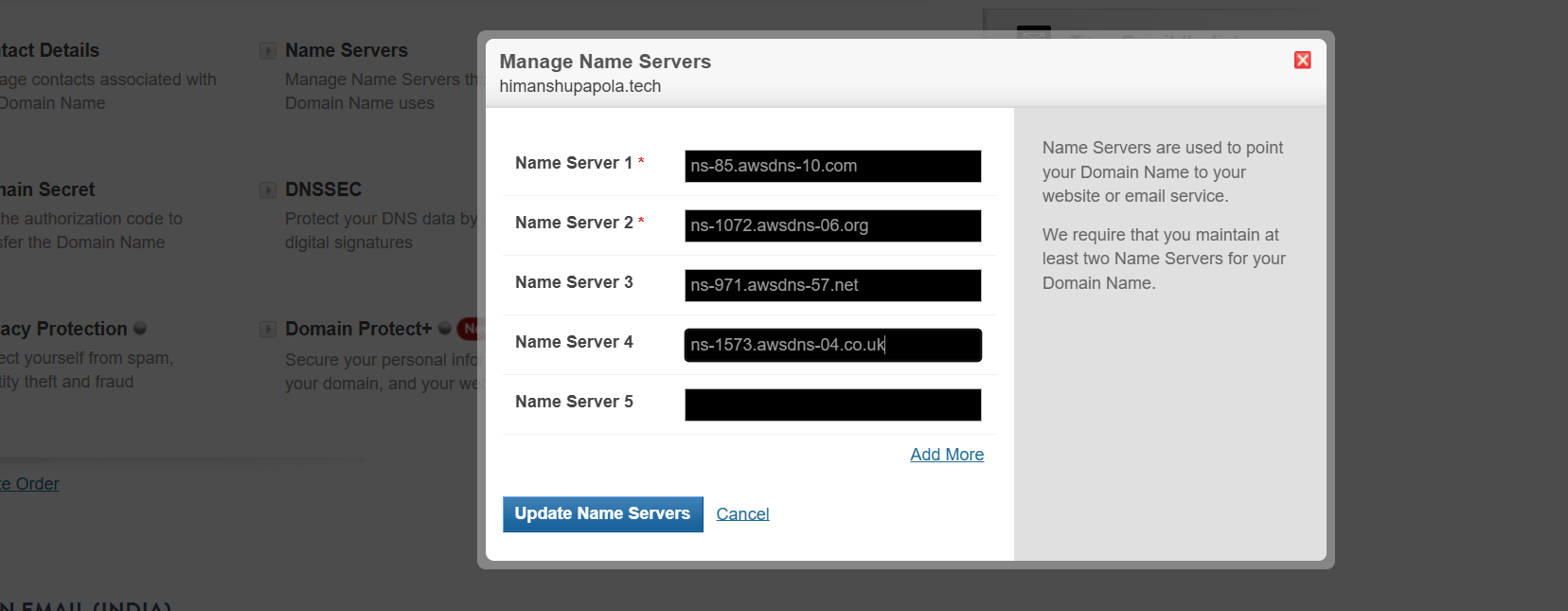
1. Register a Domain (Route 53)
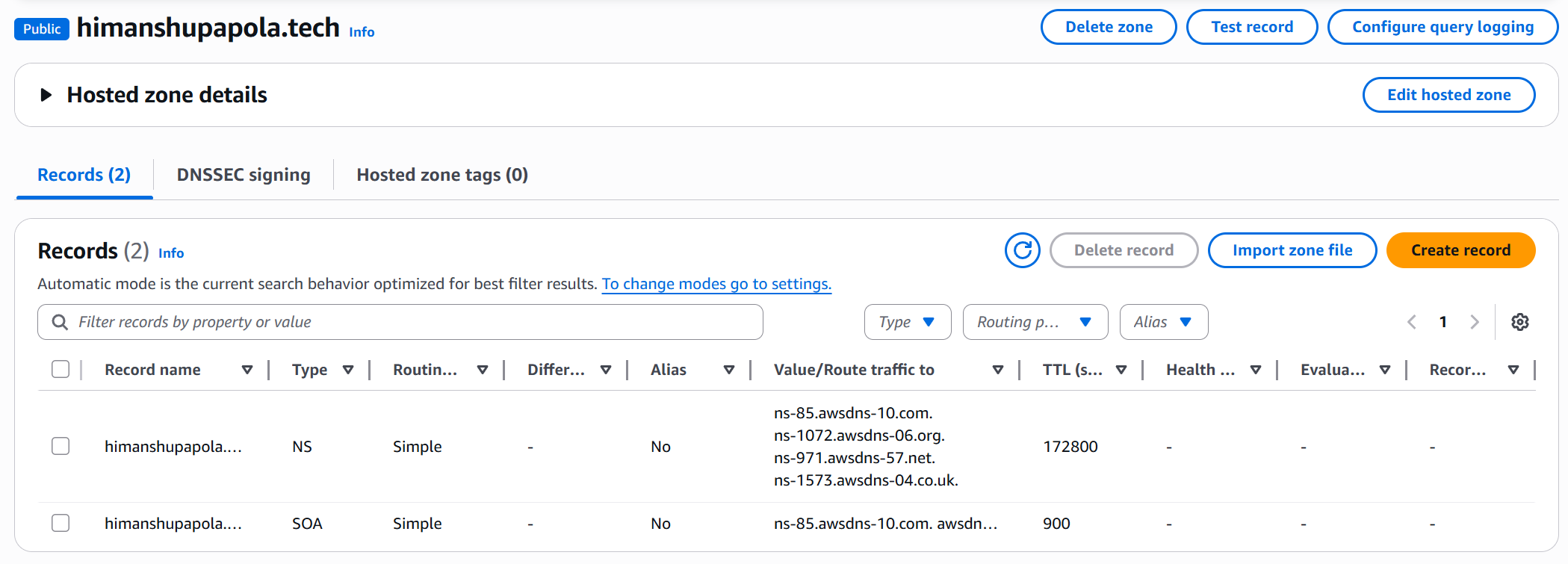
- AWS Console → Route 53 → Create hosted zones
- Select Public hosted zone
- Click Create hosted zone
- This zone will store DNS records
2. Launch EC2 Instances (Two Regions)
- Security Group: allow HTTP (port 80) inbound
- Launch, then copy each instance’s Public IPv4 Address
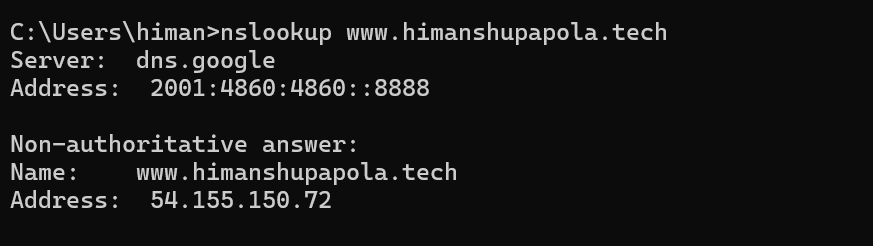
- Ireland(54.155.150.72)
- Oregon(34.214.42.89)
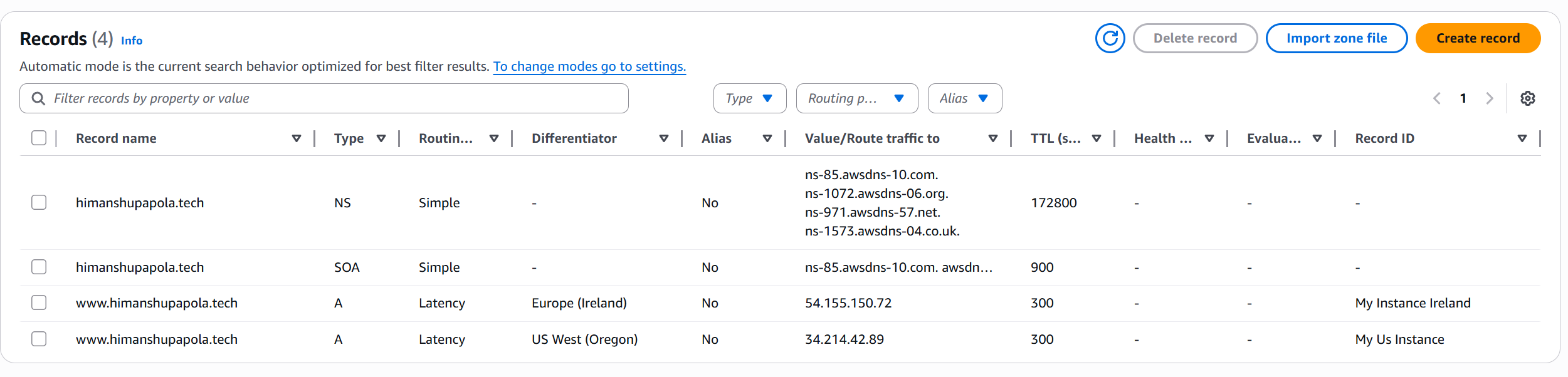
3. Create Latency-Based Records (Route 53)
- Hosted Zone → Create record
- Record name:
wwwType: A Routing policy: Latency - Add first record:
- Value: Ireland EC2 IP
- Region: EU (Ireland) Identifier: “Ireland-Instance”
- Add second record:
- Value: US EC2 IP
- Region: US West (Oregon) Identifier: “US-Instance”
4. Test Routing
| Method | Command / Action |
|---|---|
| Browser | Open http://www.himanshupapola.tech |
| DNS | nslookup www.himanshupapola.tech |
| Cross-region test | Use a VPN to switch regions and reload the site |
Expected:
- From Europe → “Hello from Ireland”
- From US → “Hello from US”
5. Cleanup
| Task | Command / Action |
|---|---|
| Terminate EC2 | aws ec2 terminate-instances --instance-ids <IDs> |
| Delete DNS records | Remove A records for www |
| Delete hosted zone | aws route53 delete-hosted-zone --id <ZONEID> |
| Disable auto-renew | aws route53domains disable-domain-auto-renew --domain-name mydomain.com |
💰 Cost & Notes
| Resource | Typical Cost |
|---|---|
| Domain | ~$12/yr (not fixed) |
| Hosted Zone | ~$0.50/month |
| EC2 (t2.micro) | Free tier eligible or per-hour cost |
| Data Transfer | Regional rates apply |
Tip: Use short TTL (e.g., 60 seconds) for faster DNS propagation while testing.