04. Create MySQL Database using Amazon RDS
Learn how to create, manage, snapshot, and delete a MySQL RDS instance using the Standard Create option in the AWS Management Console.
🪜 1. Navigate to RDS
- Sign in to the AWS Management Console.
- Open the Amazon RDS service.
- In the left panel, select Databases.
- Click Create database.
⚙️ 2. Choose Creation Method
| Option | Description |
|---|
| Easy Create | Automatically uses recommended settings. |
| Standard Create | Allows full customization. |
👉 Select Standard Create.
🧩 3. Choose Database Engine
| Option | Selection |
|---|
| Engine type | MySQL |
| Edition | MySQL Community |
| Version | 8.0.23 (recommended) |
🧱 4. Choose a Template
Select Free Tier to use the AWS Free Tier benefits.
This automatically configures low-cost defaults.
🪪 5. Settings
| Setting | Value |
|---|
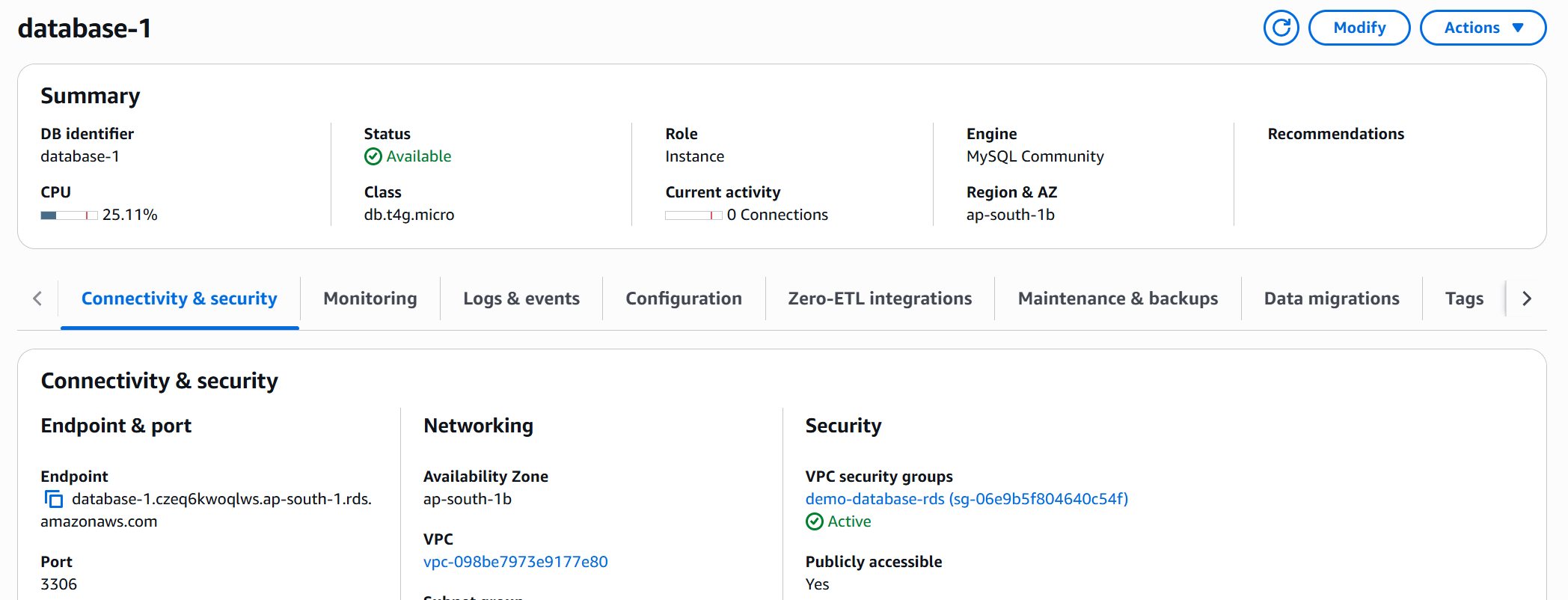
| DB identifier | database-1 |
| Master username | admin |
| Master password | Random1234 (enter twice) |
💻 6. DB Instance Configuration
| Setting | Value |
|---|
| DB instance class | db.t2.micro |
| Storage type | gp2 (SSD) |
| Allocated storage | 20 GB |
| Storage autoscaling | ✅ Enabled (max 1000 GB) |
🌐 7. Connectivity
| Option | Setting |
|---|
| Virtual Private Cloud (VPC) | Default or custom |
| Public access | Yes (to connect from your local machine) |
| VPC security group | Create new → demo-database-rds |
| Availability Zone | No preference |
| Database port | 3306 |
🔐 8. Authentication
| Option | Setting |
|---|
| Authentication method | Password authentication |
Leave additional configuration options as default.
🚀 9. Create the Database
- Review your settings.
- Click Create database.
- Wait for the status to change from Creating → Available.
📊 10. View and Monitor
Once available:
- Check Connectivity & Security for the Endpoint and Port.
- View Monitoring to see CPU utilization, storage, and connections.
- Explore Logs & Events, Configuration, and Backups tabs.
📸 11. Create a Snapshot
- Select your database.
- Choose Actions → Take Snapshot.
- Enter name:
demo-snapshot.
- Wait until the snapshot status is Available.
♻️ 12. Restore or Copy Snapshot
| Action | Purpose |
|---|
| Restore Snapshot | Create a new database from a snapshot. |
| Copy Snapshot | Duplicate it to another region (Disaster Recovery). |
| Share Snapshot | Share with another AWS account. |
🧹 13. Clean Up
- Delete snapshot
- Select it → Actions → Delete Snapshot.
- Delete database
- Select DB → Actions → Delete.
- Disable “Create final snapshot.”
- Disable “Retain automated backups.”
- Type
delete me → Confirm.
✅ Result
You have:
- Created a MySQL RDS instance
- Taken and managed database snapshots
- Learned to monitor, restore, copy, and delete RDS resources