🧑💻 01. IAM Introduction
AWS Identity and Access Management (IAM) is a global service that allows you to securely manage access to AWS services and resources. It helps control who can access your AWS account (identity) and what actions they can perform (permissions).
🟢 Root User
- The root account is created when you first set up AWS.
- It has full access to all AWS services and billing.
- Do not use or share the root account for daily tasks.
- Use it only for critical operations (like billing setup or MFA configuration).
👥 IAM Users
- Represent individual people or applications that interact with AWS.
- Each user has:
- A username
- Credentials (password or access keys)
- Permissions (granted via policies)
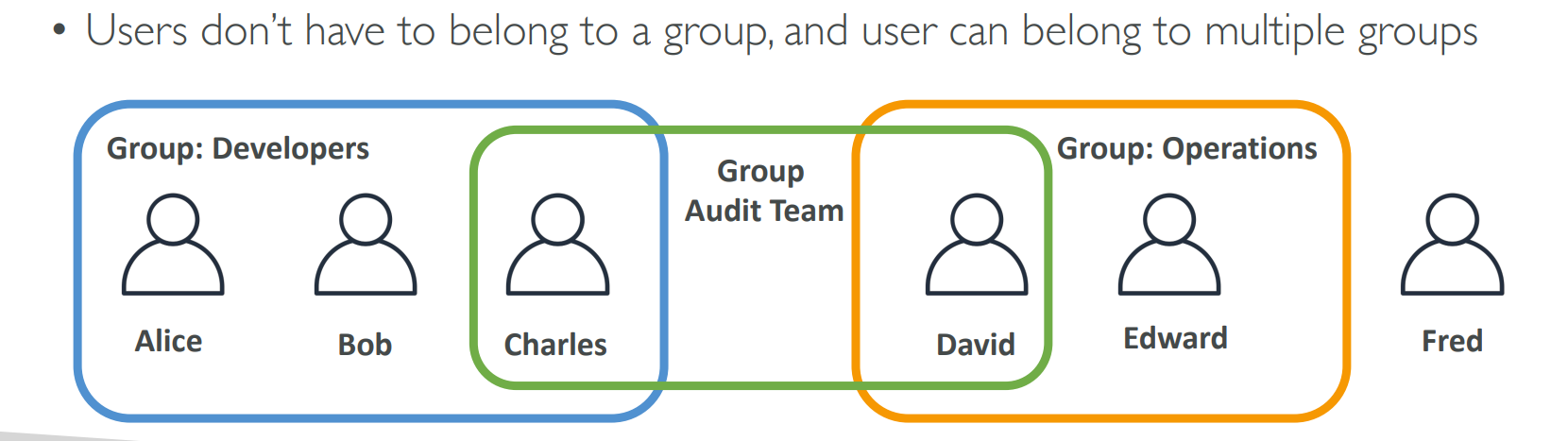
- A user can exist with or without being in a group.
🧩 IAM Groups
- A group is a collection of IAM users.
- Groups help manage permissions collectively.
- Groups cannot contain other groups.
- A user can belong to multiple groups.
📘 Example:
A Developers group might have access to EC2 and S3.
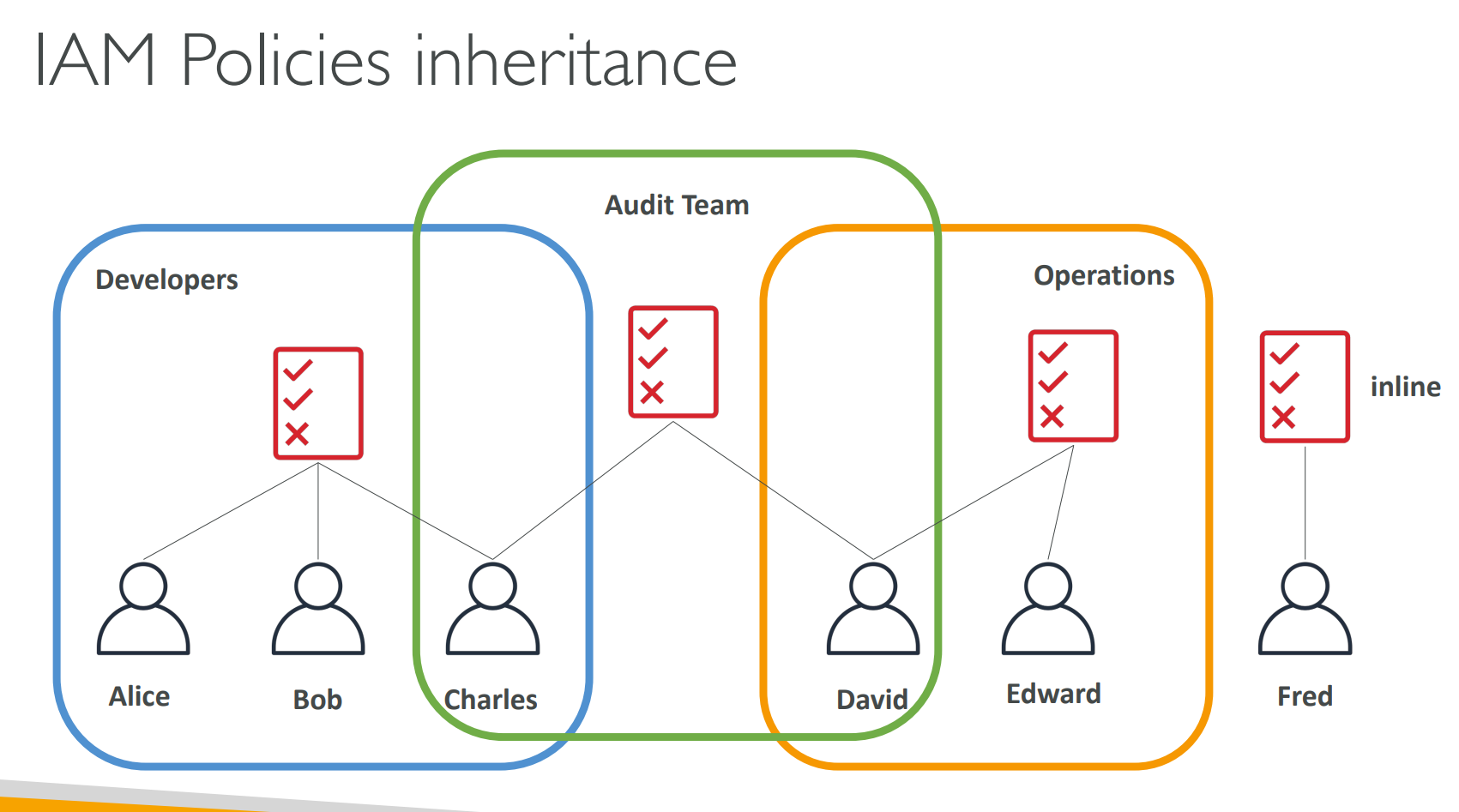
Any user added to this group inherits those permissions automatically.
📜 IAM Policies | Permissions
- A policy is a JSON document that defines permissions to users.
- It specifies:
- Actions → what can be done (e.g.,
s3:ListBucket) - Resources → which AWS resources the action applies to
- Effect →
AlloworDeny
- Actions → what can be done (e.g.,
- In AWS you apply the least privilege principle — don’t give more permissions than a user needs.
🔐 IAM Password Policy
Strong passwords = higher security for your AWS account.
AWS allows you to define and enforce a password policy for all IAM users.
🧱 You can configure:
- Minimum password length
- Require specific character types:
- Uppercase letters
- Lowercase letters
- Numbers
- Non-alphanumeric characters
- Allow IAM users to change their own passwords
- Require users to rotate passwords periodically (password expiration)
- Prevent password reuse for improved security
💡 Setting a strong password policy helps protect against unauthorized access.
🔑 Multi-Factor Authentication (MFA)
- IAM users or the root user can access your AWS account and modify or delete critical resources.
To enhance protection, enable MFA (Multi-Factor Authentication).
🧩 MFA = Password You Know + Security Device You Own
- Example: password + OTP from your phone or hardware key.
- Even if a password is stolen or hacked, the account remains secure with MFA enabled.
📱 MFA devices options in AWS
- Virtual MFA device: Authy or Google Authenticator
- Universal 2nd Factor (U2F) Security Key: YubiKey
- Hardware Key Fob MFA Device
- Hardware Key Fob MFA Device For GovCloud(US)
⚙️ Benefits:
- Protects the root user and all IAM users.
- Adds an extra layer of security for critical actions.
- Reduces the risk of unauthorized access to your AWS environment.
🛠️ IAM Security Tools (For IAM Usage Auditing)
-
IAM Credentials Report (account-level)
- A report that lists all your account's users and the status of their various credentials.
- Helps you identify unused or outdated credentials that should be rotated or removed.
-
IAM Access Advisor (user-level) (Now Last Accessed)
- Shows the service permissions granted to a user and when those services were last accessed.
- You can use this information to revise policies, remove unnecessary permissions, and enforce least privilege.